内存取证-MemLabs

MemLabs Lab 0 - Never Too Late Mister

介绍

题目描述:
我的朋友约翰是一位“环境”活动家和人道主义者。他讨厌《复仇者联盟3:无限战争》中灭霸的意识形态。他编程很烂。他在写程序的时候使用了太多的变量。有一天,约翰给了我一个记忆转储,让我在他转储的时候找出他在做什么。你能帮我算一下吗?

此题仅包含一个flag,入门难度

WP

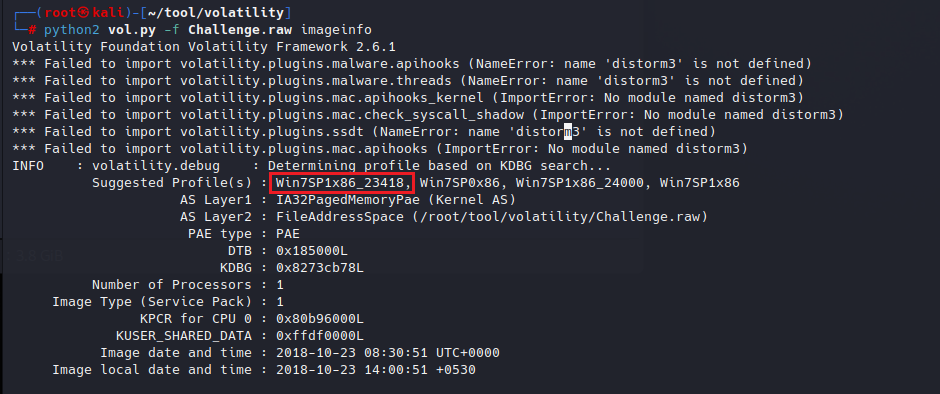
查看image镜像

image-20260103191534846

Win7SP1x86_23418

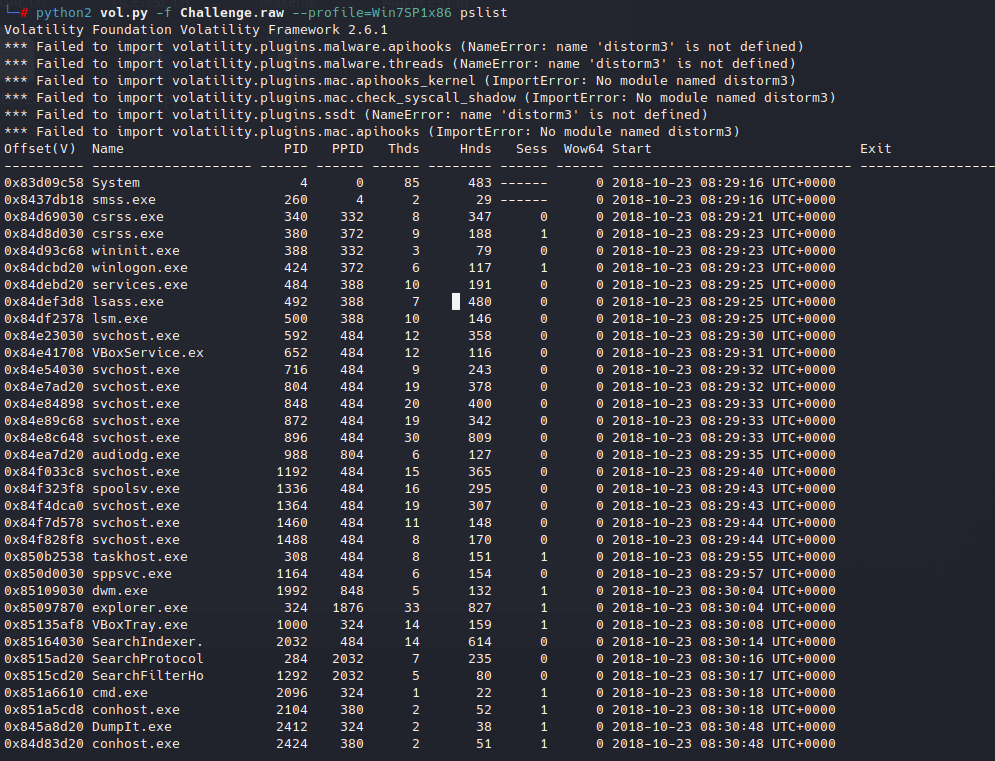
查看进程

image-20260103192241069

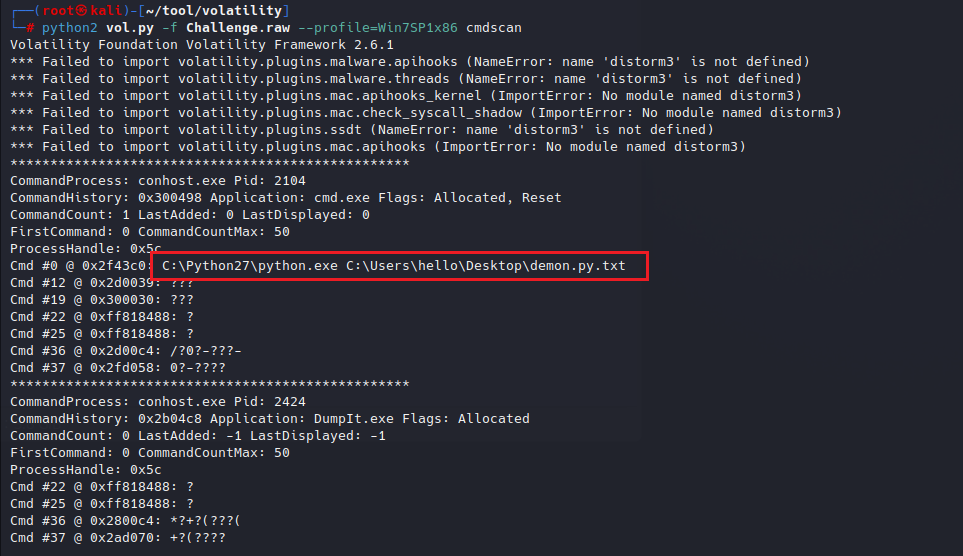
发现cmd.exe进程尝试查看shell是否执行了命令

通过python执行了demon.py.txt

cmdscan

image-20260103192449492

你问我这不是个txt吗,应该没什么用吧,你就当这是个壳,执行的是里面的东西

查看consoles

可以看到当时执行命令的输出结果
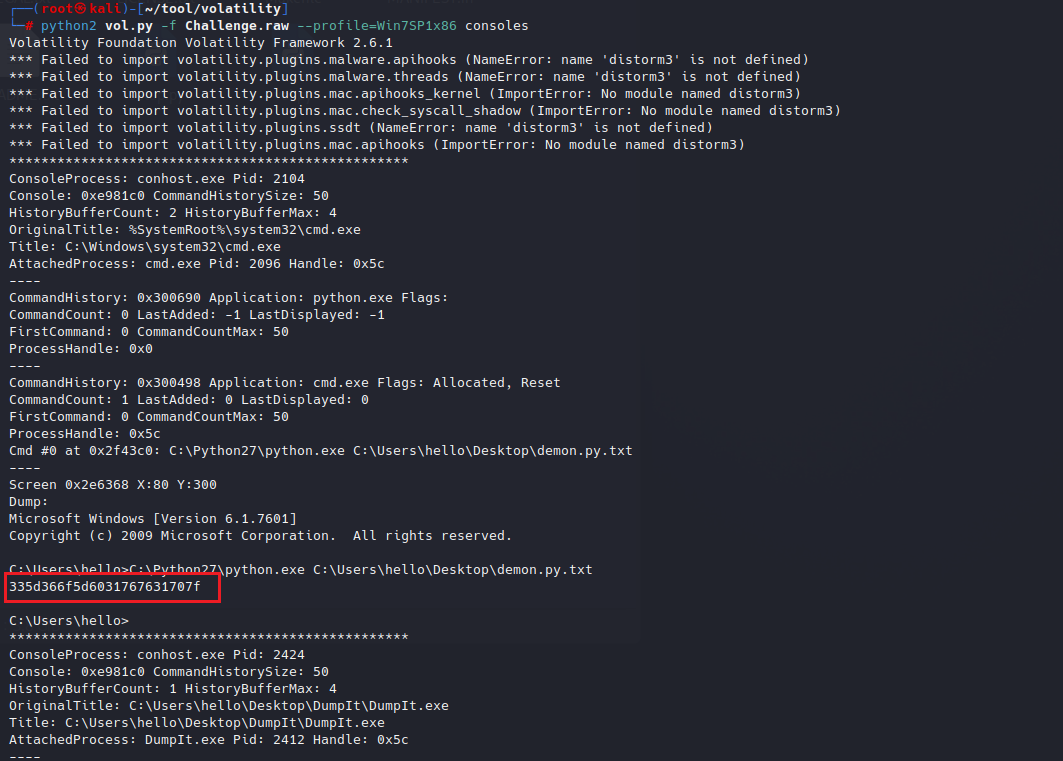
image-20260103192734614

image-20260103192626391

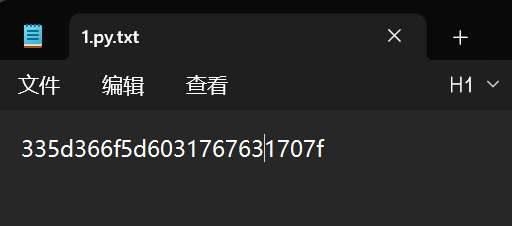
demon.py.txt文件内容为

335d366f5d6031767631707f

image-20260103193831615

image-20260103193811897

24位

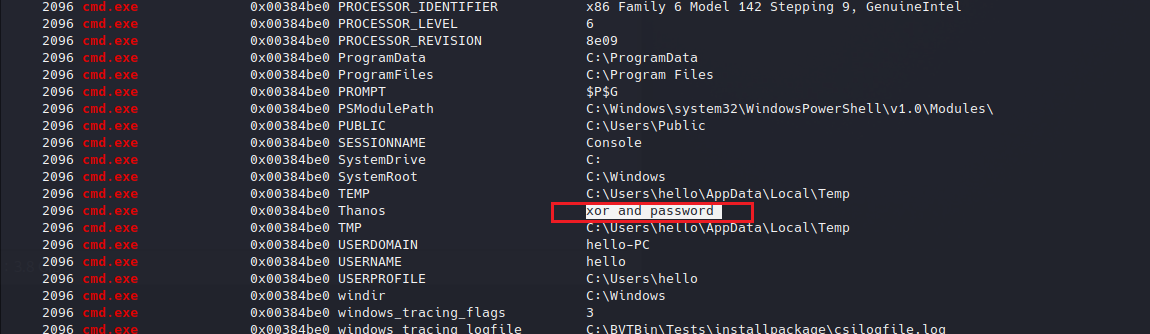
查看环境变量

envars | grep "cmd.exe"

image-20260103194102855

xor异或,应该为这段提示

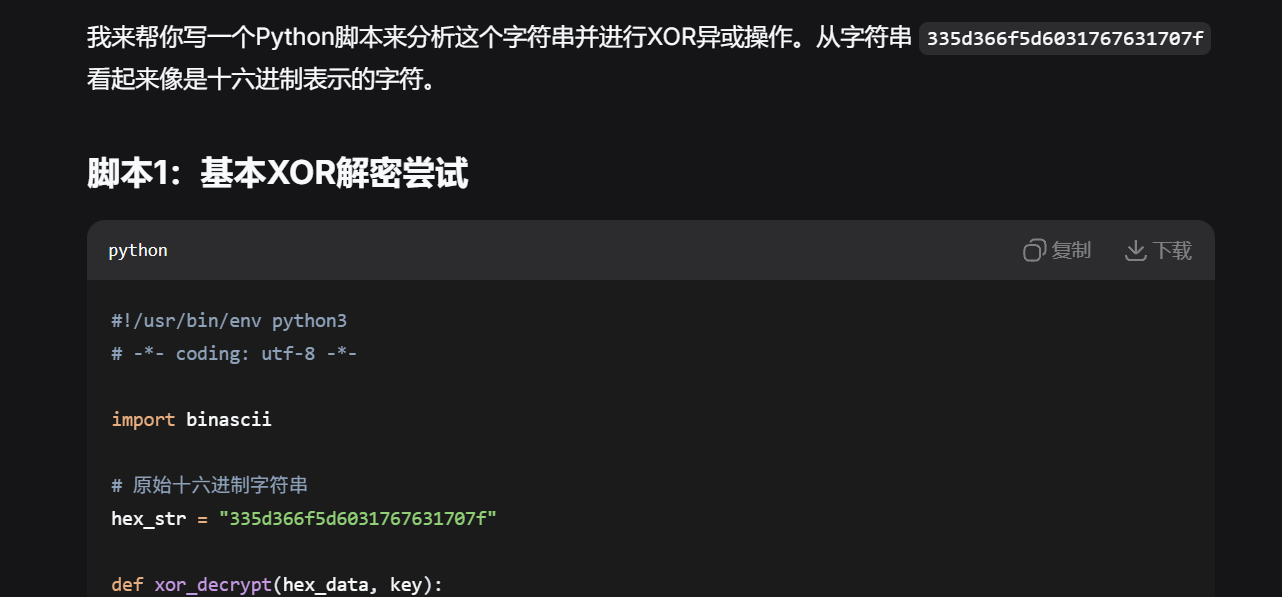
让ai写一个异或脚本

image-20260103194309446

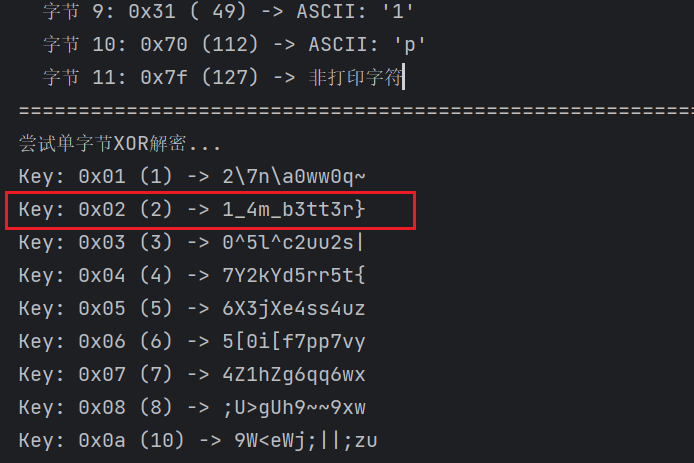
image-20260103195418537

异或出一个疑似flag后半段的内容

1_4m_b3tt3r}

查看用户密码信息

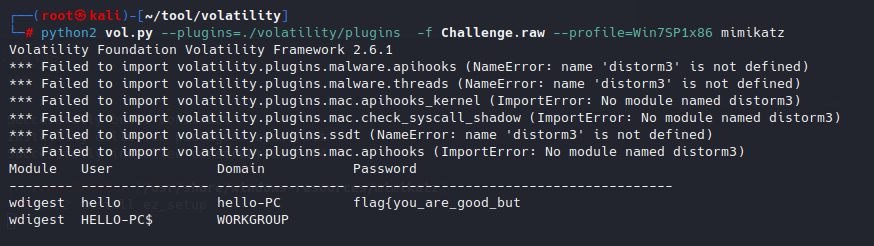
heapdump和lsadump都没有信息,使用mimikatz插件

安装mimikatz插件:https://blog.csdn.net/qq_54378159/article/details/148223068

pip 安装包时 error: invalid command ‘egg_info’ 解决办法:pip2 install –upgrade setuptools

使用插件时需要指定插件路径–plugins

python2 vol.py --plugins=./volatility/plugins  -f Challenge.raw --profile=Win7SP1x86 mimikatz

image-20260103204101771

flag{you_are_good_but

拼接flag

flag{you_are_good_but1_4m_b3tt3r}

MemLabs Lab 1 - Beginner’s Luck

介绍

挑战描述:
My sister's computer crashed. We were very fortunate to recover this memory dump. Your job is get all her important files from the system. From what we remember, we suddenly saw a black window pop up with some thing being executed. When the crash happened, she was trying to draw something. Thats all we remember from the time of crash.

我姐姐的电脑崩溃了。我们非常幸运地恢复了这个内存转储。您的工作是从系统中获取她的所有重要文件。根据我们的记忆,我们突然看到一个黑色窗口弹出,上面正在执行一些事情。灾祸发生时,她正试图画什么。这就是我们灾祸发生时起所记得的一切。

Note: This challenge is composed of 3 flags.

注意:此挑战由 3 个flag组成。

WP

flag{th1s_1s_th3_1st_st4g3!!}
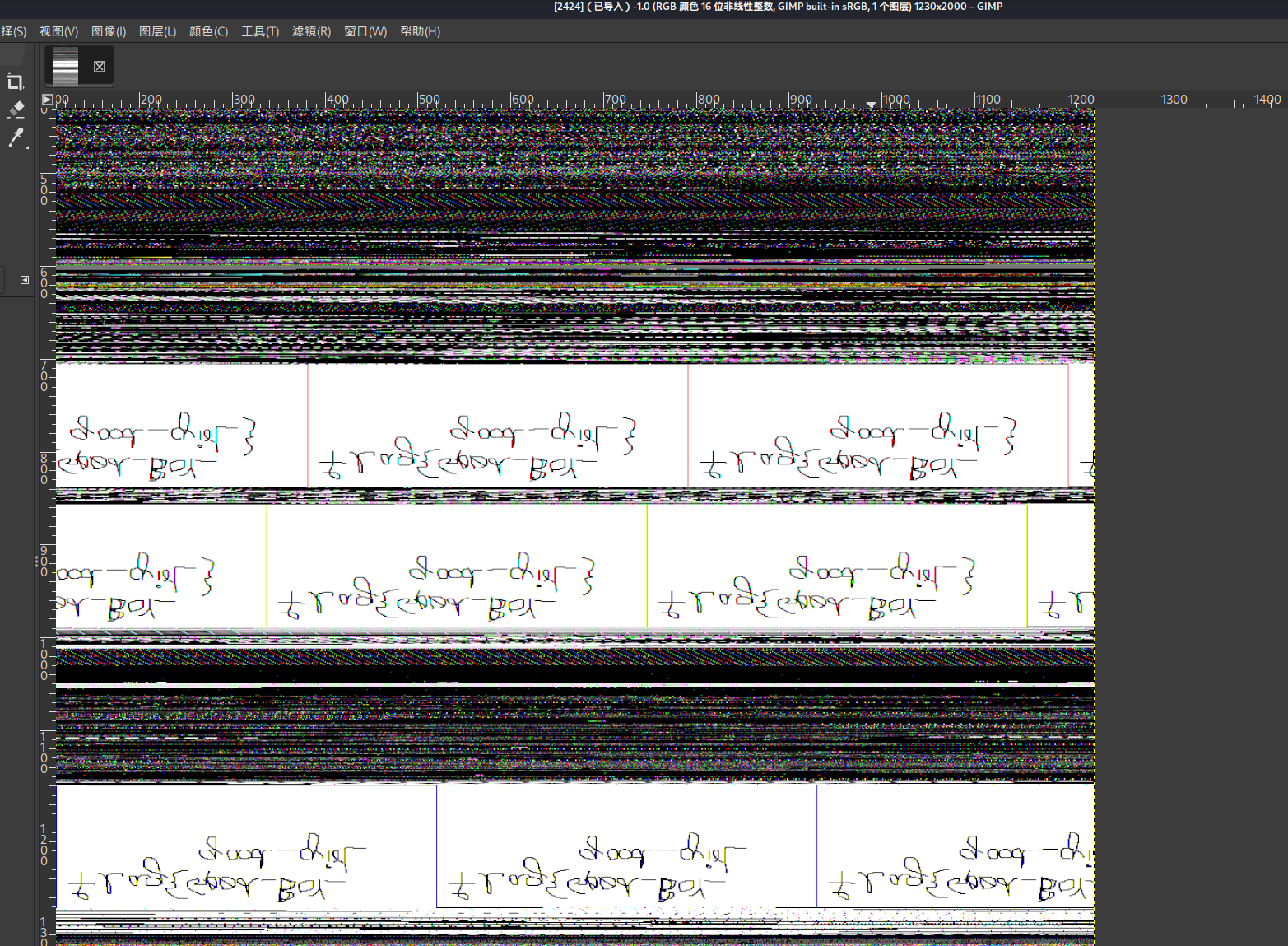
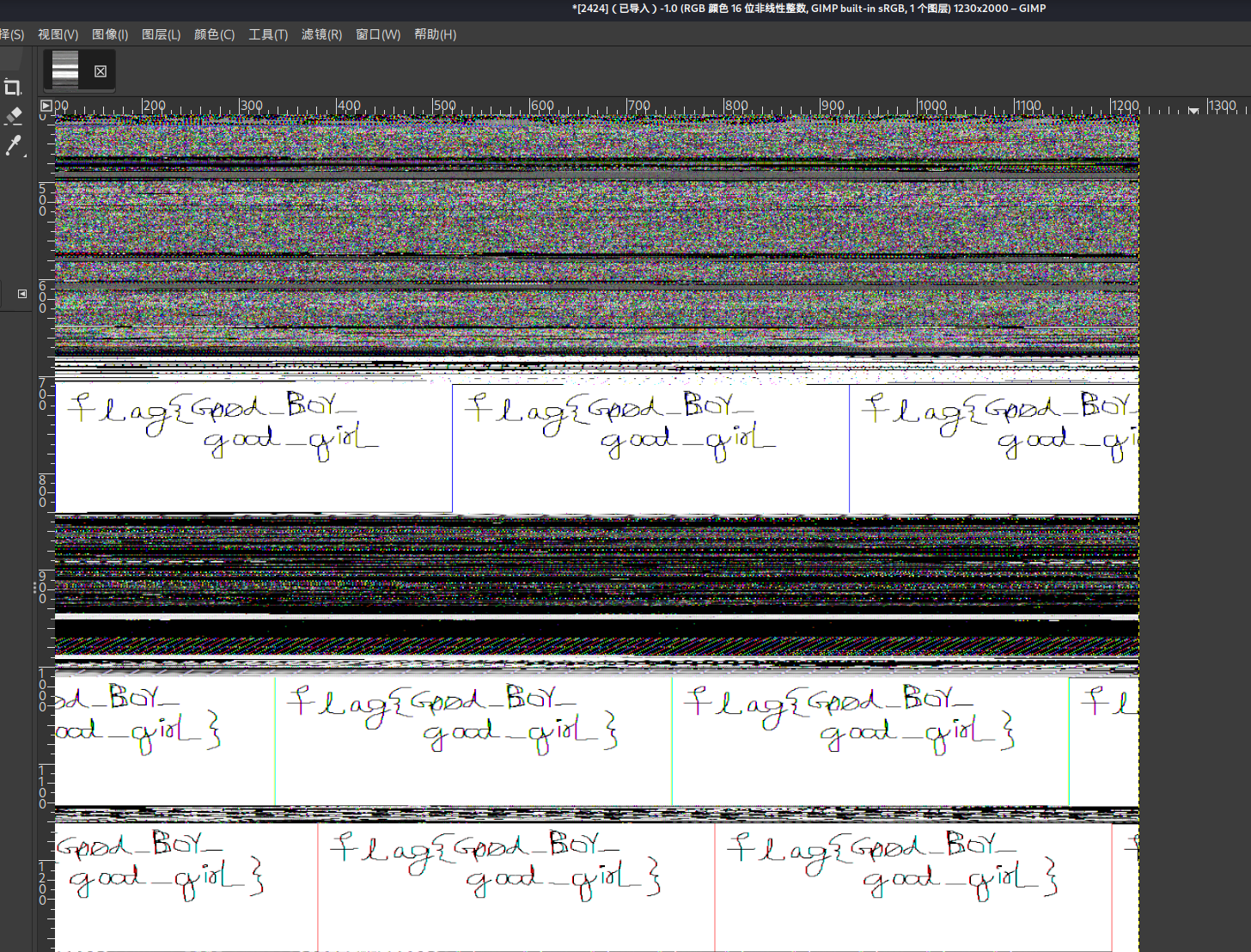
flag{good_boy_good_girl}
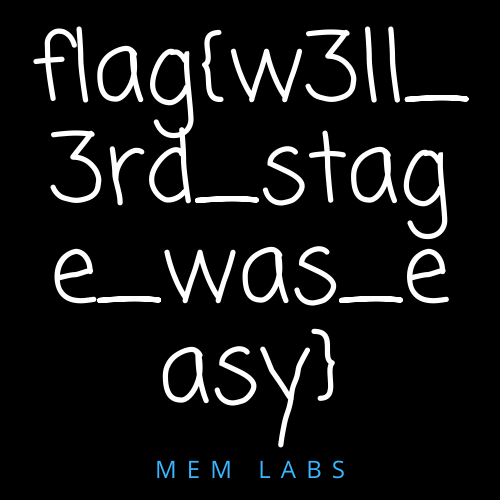
flag{w3ll_3rd_stage_was_easy}

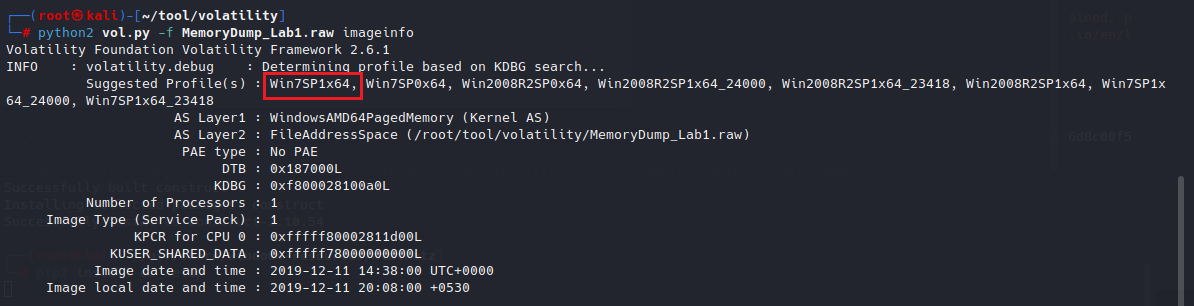
查看image

image-20260103205946005

Win7SP1x64

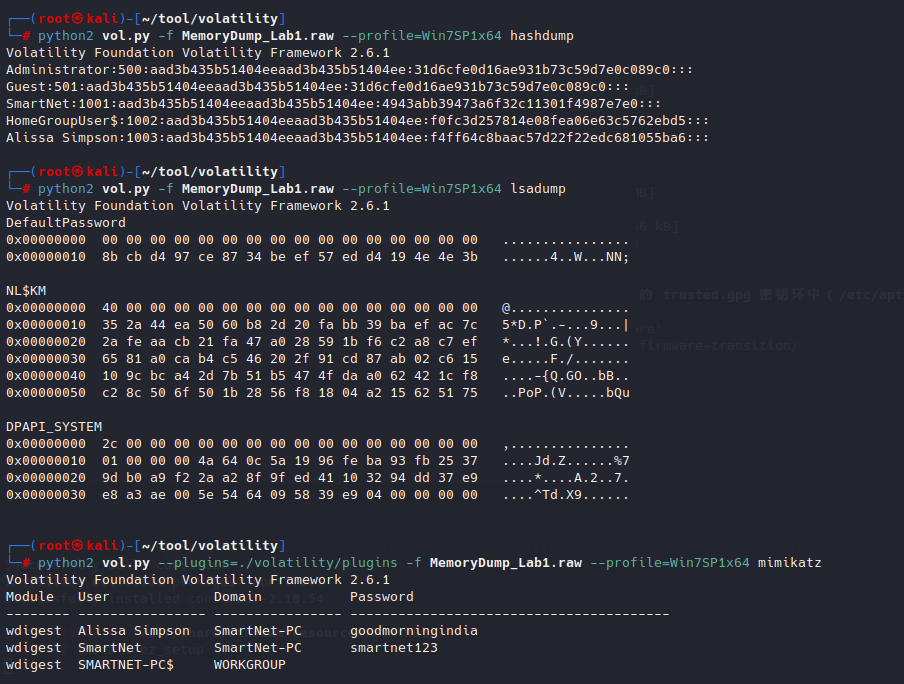
查看密码

ython2 vol.py -f MemoryDump_Lab1.raw --profile=Win7SP1x64 hashdump
ython2 vol.py -f MemoryDump_Lab1.raw --profile=Win7SP1x64 lsadump
python2 vol.py --plugins=./volatility/plugins -f MemoryDump_Lab1.raw --profile=Win7SP1x64 mimikatz

image-20260103210343940

没有什么信息

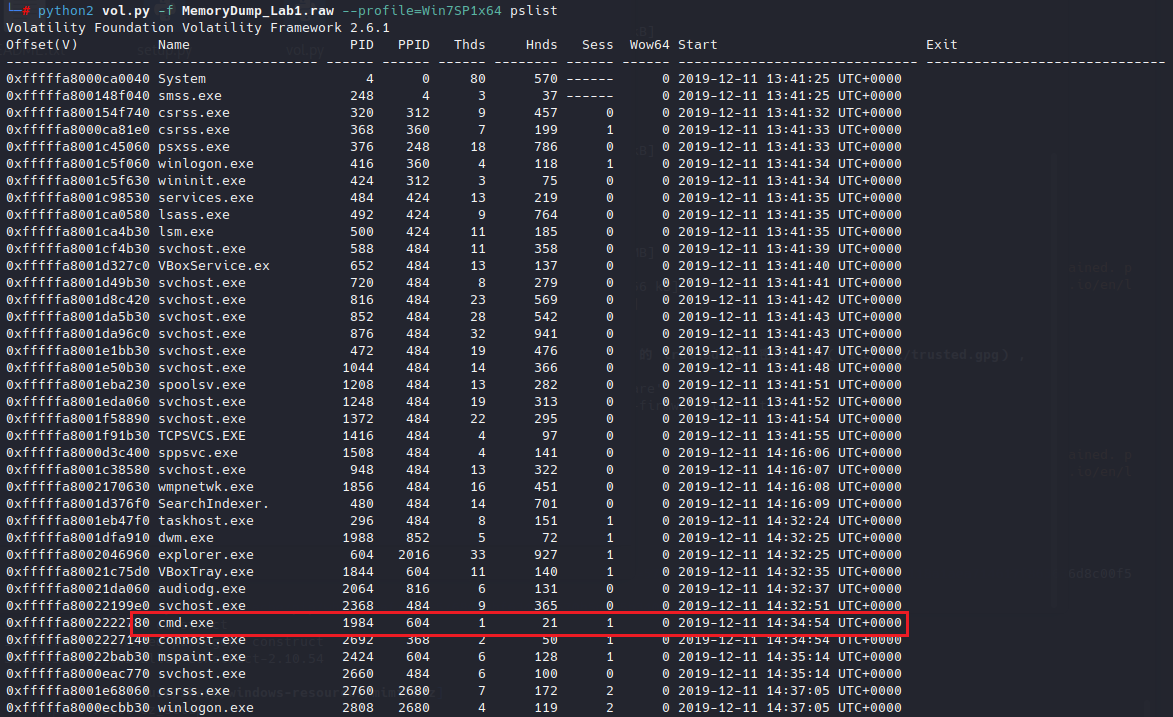
查看进程

存在cmd进程,查看命令

image-20260103210454995

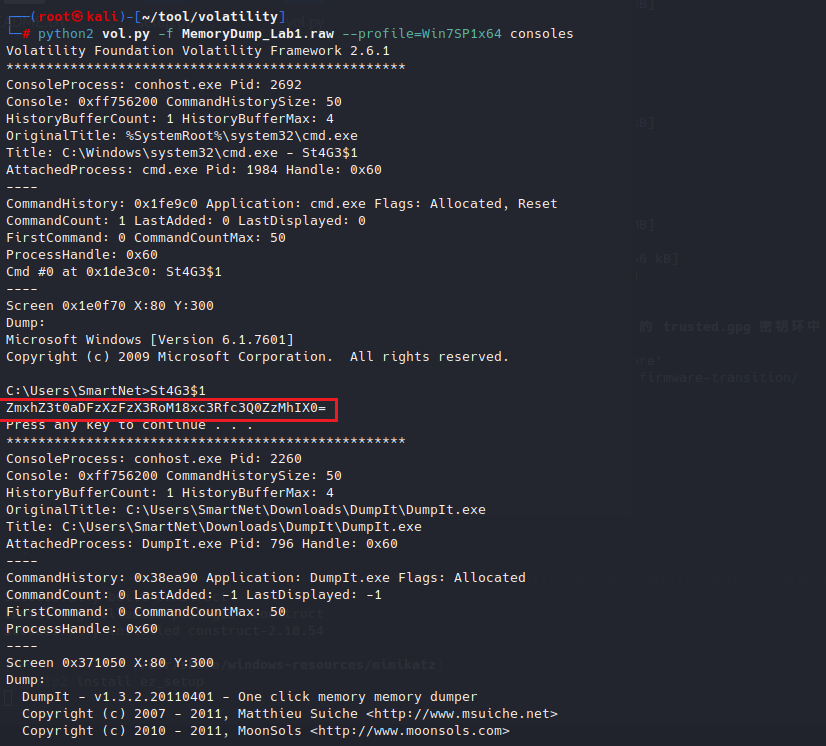
查看consoles

ZmxhZ3t0aDFzXzFzX3RoM18xc3Rfc3Q0ZzMhIX0=

image-20260103210913410

cmd执行命令C:\Users\SmartNet>St4G3$1

输出结果为

ZmxhZ3t0aDFzXzFzX3RoM18xc3Rfc3Q0ZzMhIX0=

base64编码,解码

image-20260103211354009

得到第一个flag

flag{th1s_1s_th3_1st_st4g3!!}

进程分析

题目提示画画,查看进程,找到有关画画的进程

mspaint.exe(Microsoft Paint 画图程序)
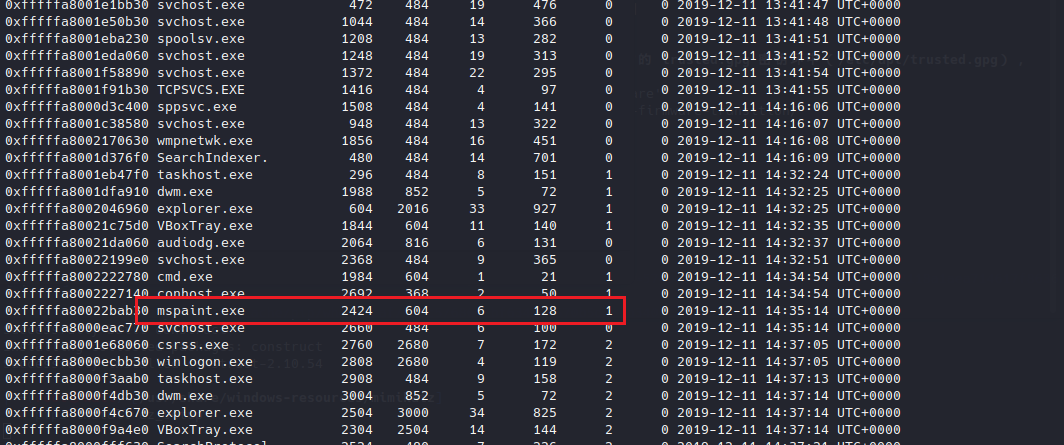
image-20260103211705203

进程PID为2424

dump文件

将文件dump下来

image-20260103211807108

python2 vol.py -f MemoryDump_Lab1.raw --profile=Win7SP1x64 memdump -p 2424 -D ./

当前目录生成2424.dmp文件

修改文件为data文件,再使用gimp打开(图片隐写)

打开之后调整图片宽、高、偏移、像素格式
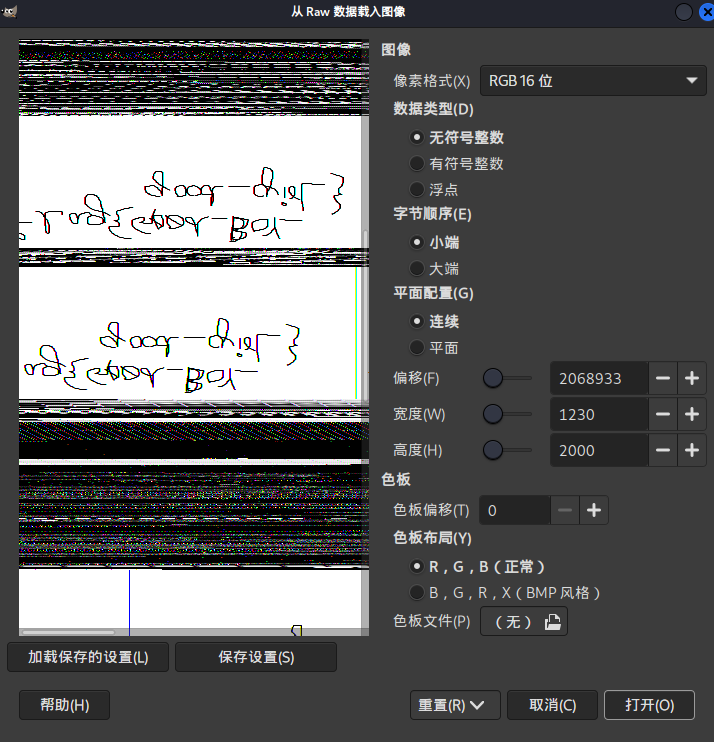
image-20260103220502656

image-20260103220525290

翻转图片:图像-变换-竖直翻转

image-20260103220601879

flag{good_boy_good_girl}

查看命令行下运行的程序

延续查看cmd的相关信息

python2 vol.py -f MemoryDump_Lab1.raw --profile=Win7SP1x64 cmdline    

发现解压了一个rar,并且名为important

image-20260103221403547

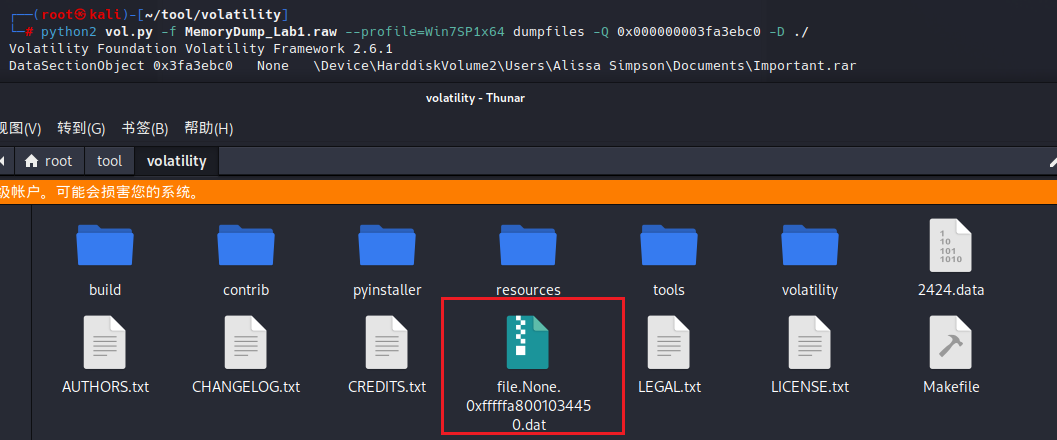
提取文件

使用dumpfiles提取文件时,需要先确定该文件的16进制位置

image-20260103222002000

filescan查找文件,查看16进制位置

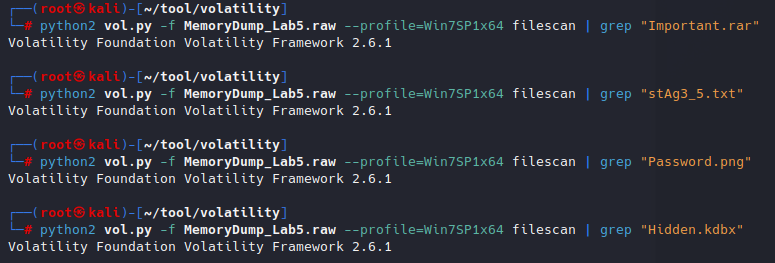
python2 vol.py -f MemoryDump_Lab1.raw --profile=Win7SP1x64 filescan | grep "Important.rar"

image-20260103222239476

三个结果,但是指的是同一个文件,只是在不同时间/不同上下文中被内存引用了多次

dumpfiles提取文件

python2 vol.py -f MemoryDump_Lab1.raw --profile=Win7SP1x64 dumpfiles -Q 0x000000003fa3ebc0 -D ./

image-20260103222420399

修改文件后缀rar

解压需要密码

image-20260103222730081

查看文件内容

提示解压密码是Alissa用户经过NTLM hash之后的值
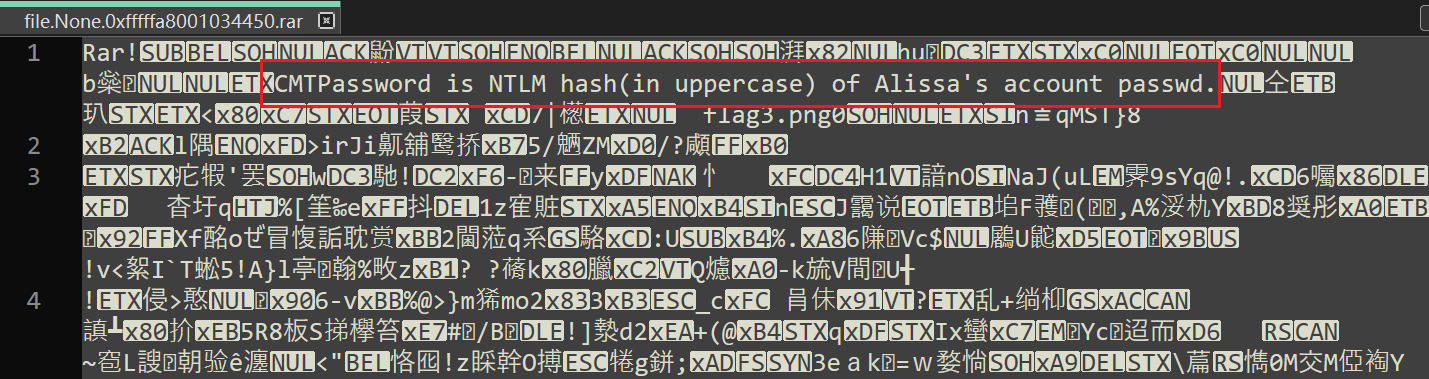
image-20260103222747316

NTLM:f4ff64c8baac57d22f22edc681055ba6

这里要全大写

image-20260103223221222

MemLabs Lab 2 - A New World

介绍

One of the clients of our company, lost the access to his system due to an unknown error. He is supposedly a very popular "environmental" activist. As a part of the investigation, he told us that his go to applications are browsers, his password managers etc. We hope that you can dig into this memory dump and find his important stuff and give it back to us.
挑战描述
我们公司的一个客户由于未知错误而失去了对其系统的访问权限。据说他是一位非常受欢迎的“环保”活动家。作为调查的一部分,他告诉我们,他常用的应用程序是浏览器、密码管理器等。我们希望你能深入挖掘这个记忆转储,找到他的重要东西并还给我们。
Note: This challenge is composed of 3 flags.
注意:此挑战由 3 个flag组成。

WP

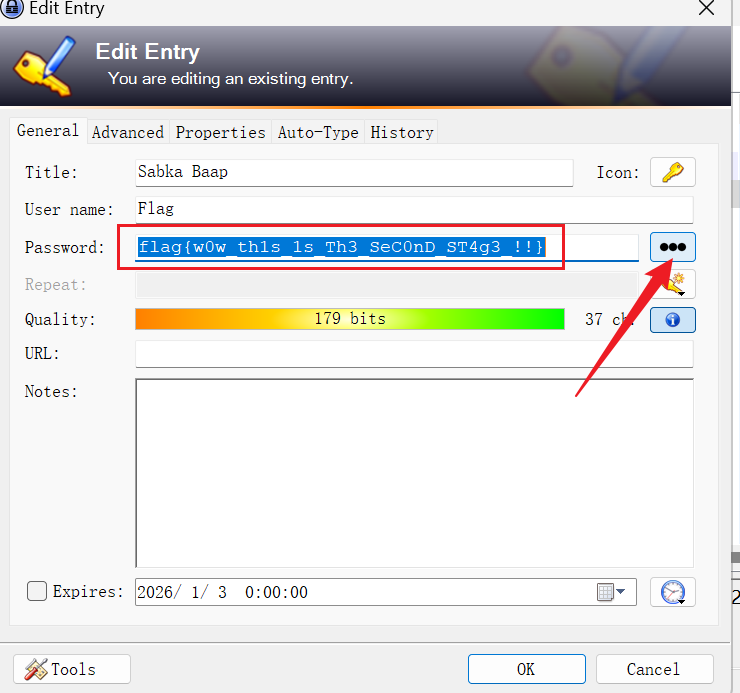
flag{w0w_th1s_1s_Th3_SeC0nD_ST4g3_!!}
flag{w3lc0m3_T0_$T4g3_!_Of_L4B_2}
flag{oK_So_Now_St4g3_3_is_DoNE!!}

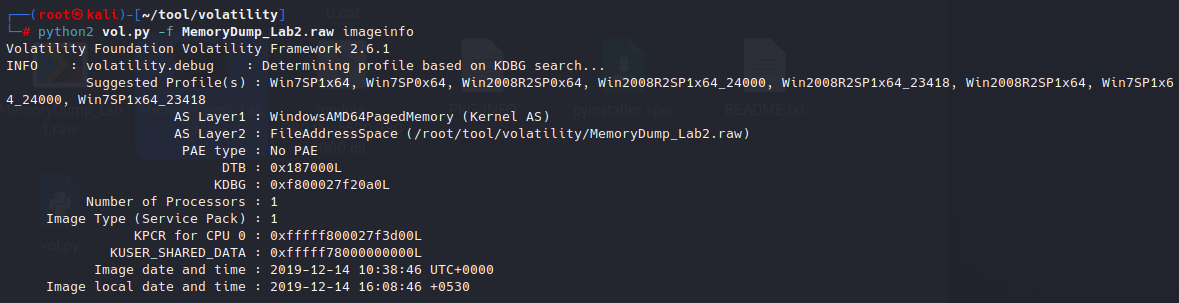
查看image

image-20260103233715455

查看浏览器

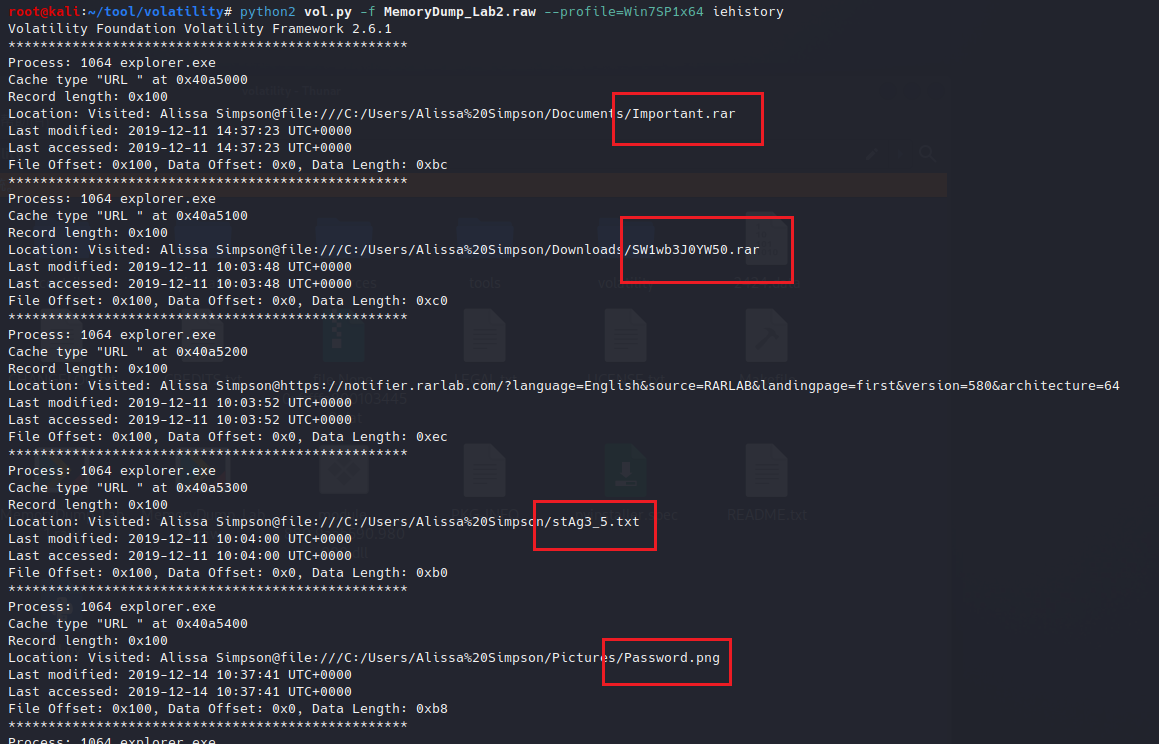
python2 vol.py -f MemoryDump_Lab2.raw --profile=Win7SP1x64 iehistory

image-20260103234232707

image-20260103234623699

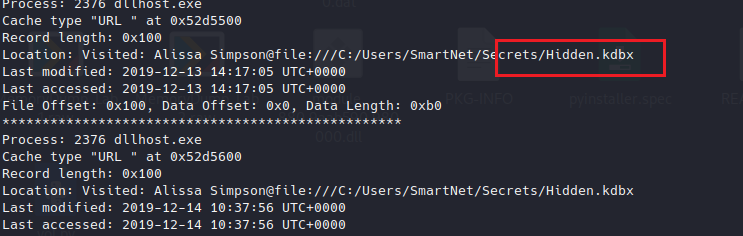
结果:

Important.rar
SW1wb3J0YW50.rar
stAg3_5.txt
Password.png
Hidden.kdbx

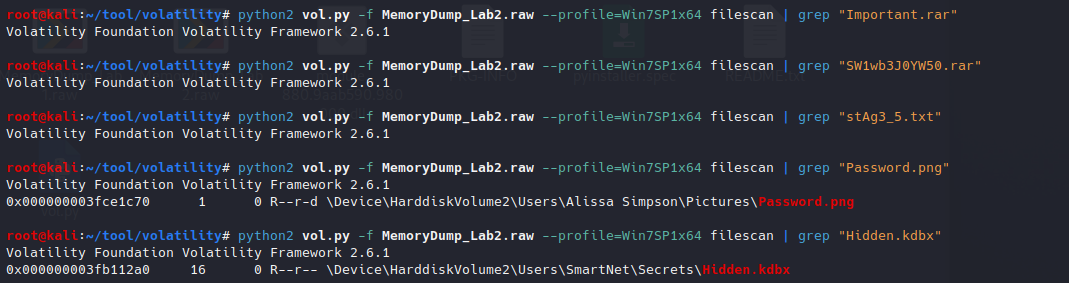
查找文件

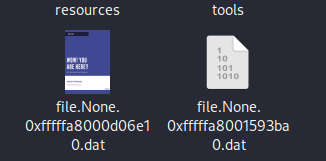
只找到了Password.png和Hidden.kdbximage-20260103234736591

提取文件

image-20260103234933765

image-20260103234924276

还原文件后缀

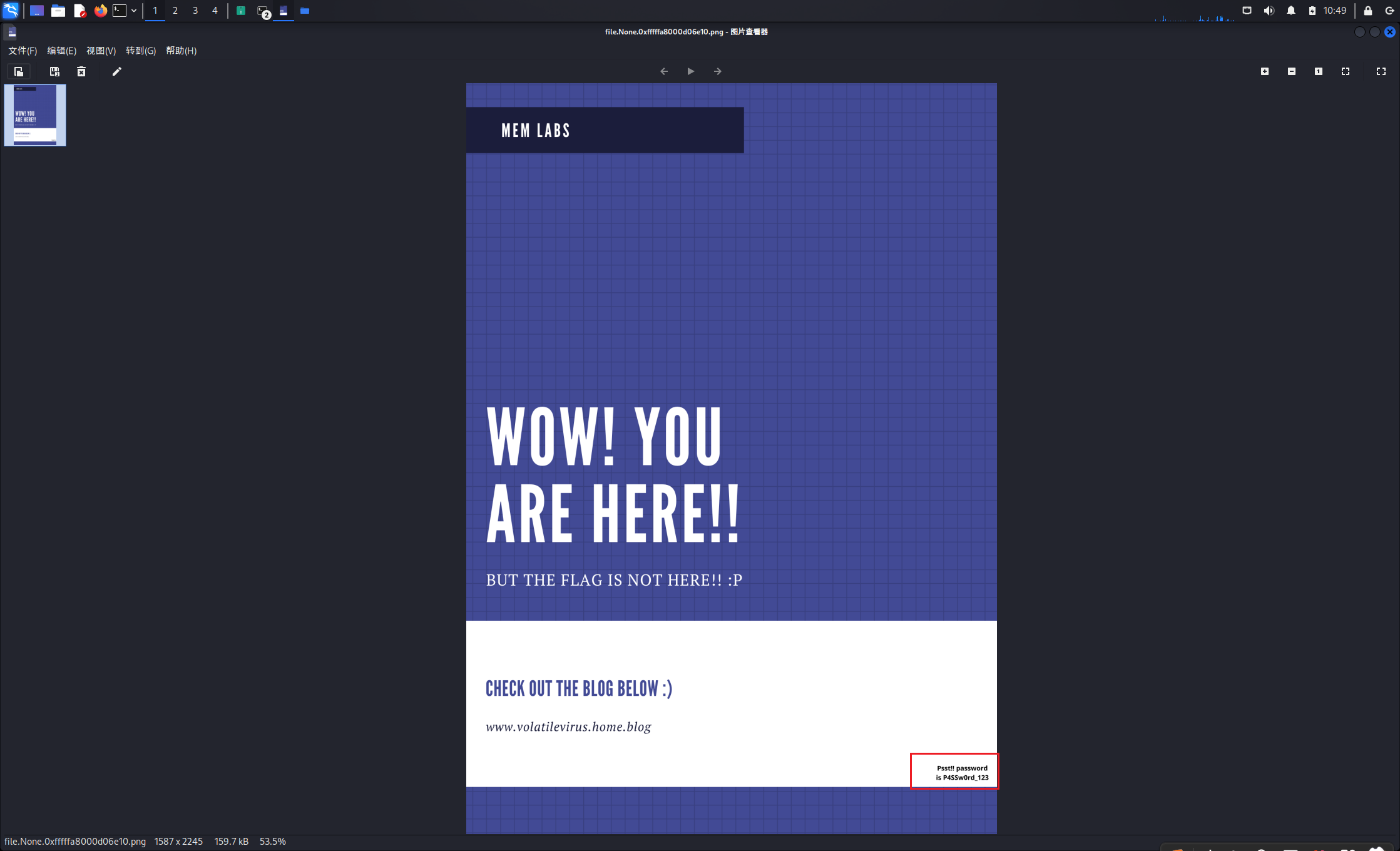
其中png文件中存在一个密码

image-20260103235005523

P4SSw0rd_123

kdbx文件:

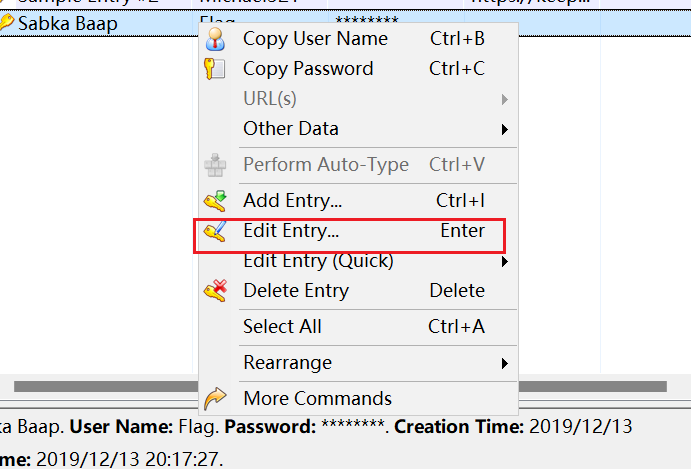
image-20260103235145206

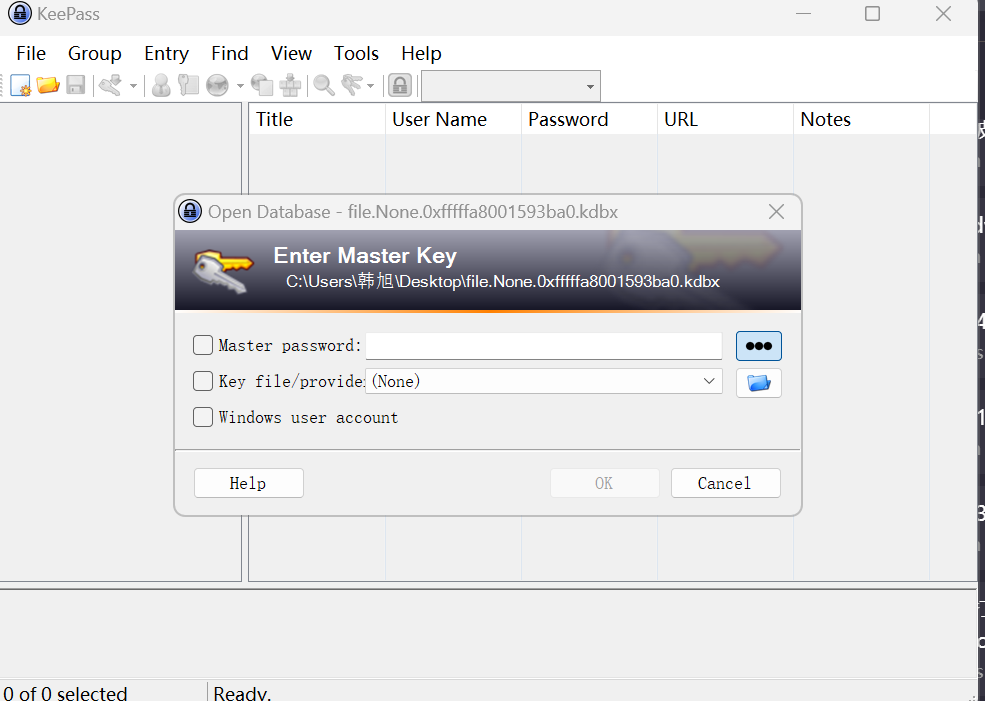
需要使用KeePass密码管理器打开

image-20260103235704624

输入获取的密码

image-20260103235908410

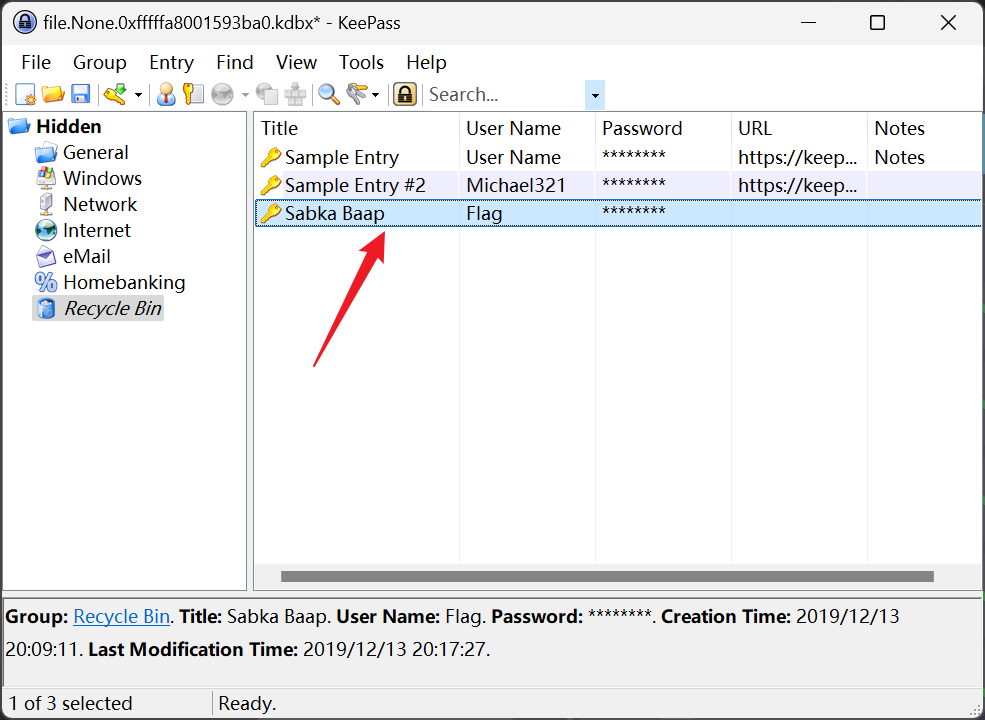
image-20260103235920033

image-20260103235936299

获取flag

flag{w0w_th1s_1s_Th3_SeC0nD_ST4g3_!!}

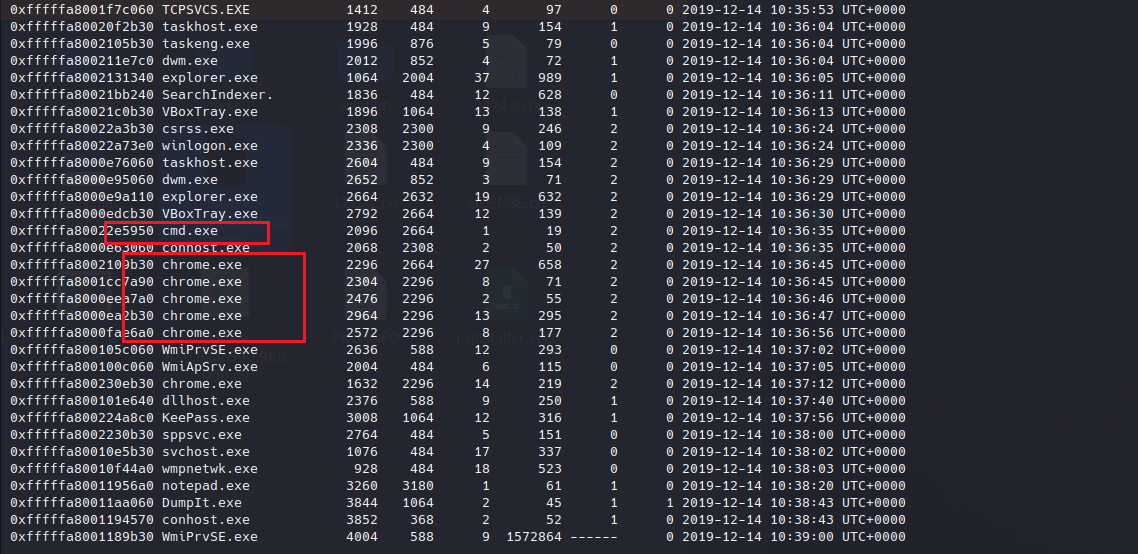
查看进程

发现有cmd和chrome

image-20260104000159434

先查看cmd

查看cmd

python2 vol.py -f MemoryDump_Lab2.raw --profile=Win7SP1x64 cmdline

其中也看到了chrome和KeePass正在运行

查看环境变量

这里我仅查看了chrome浏览器的环境变量

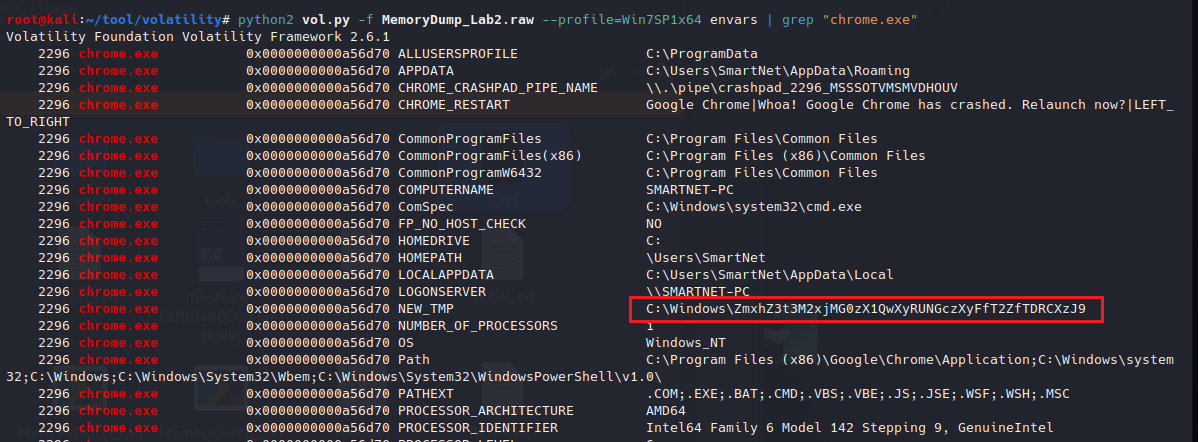
python2 vol.py -f MemoryDump_Lab2.raw --profile=Win7SP1x64 envars | grep "chrome.exe"

image-20260104001207428

存在一个NEW_TEP环境变量,内容为:C:\Windows\ZmxhZ3t3M2xjMG0zX1QwXyRUNGczXyFfT2ZfTDRCXzJ9

后面为base64编码

image-20260104001326363

得到flag

flag{w3lc0m3_T0_$T4g3_!_Of_L4B_2} 

查看chrome浏览器历史信息

需要安装插件

https://github.com/superponible/volatility-plugins/blob/master/chromehistory.py

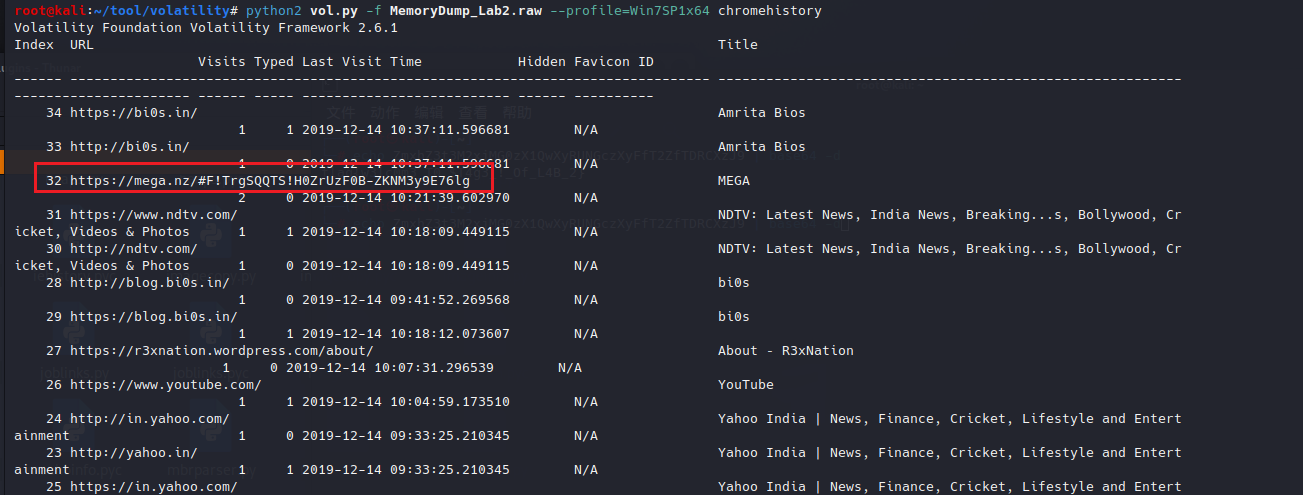
python2 vol.py -f MemoryDump_Lab2.raw --profile=Win7SP1x64 chromehistory

image-20260104001846196

image-20260104002026344

这是一个网盘,chrome的历史记录访问了一个网盘链接

https://mega.nz/#F!TrgSQQTS!H0ZrUzF0B-ZKNM3y9E76lg

访问链接,其中有一个压缩包
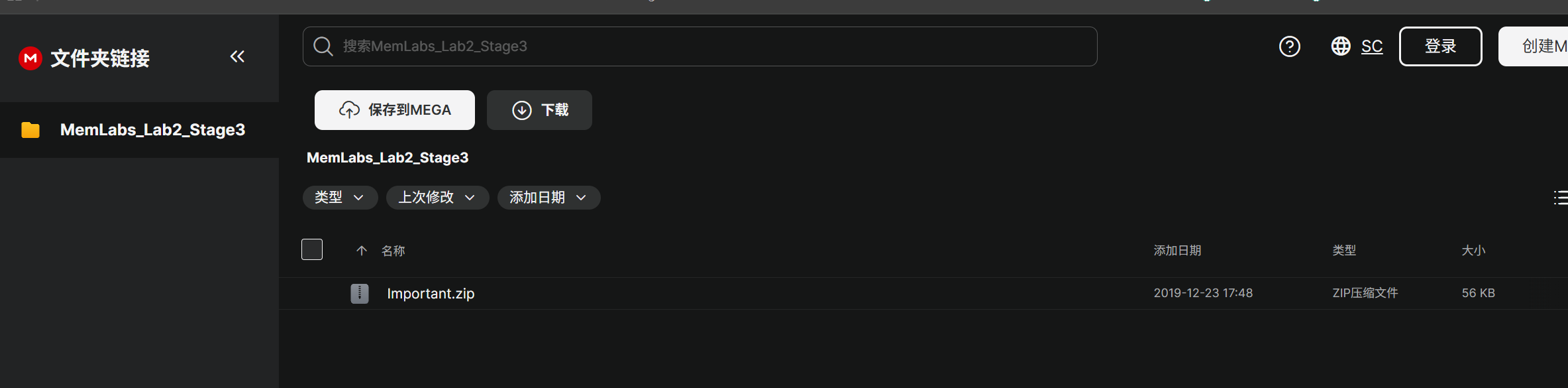
image-20260104002143567

下载该文件

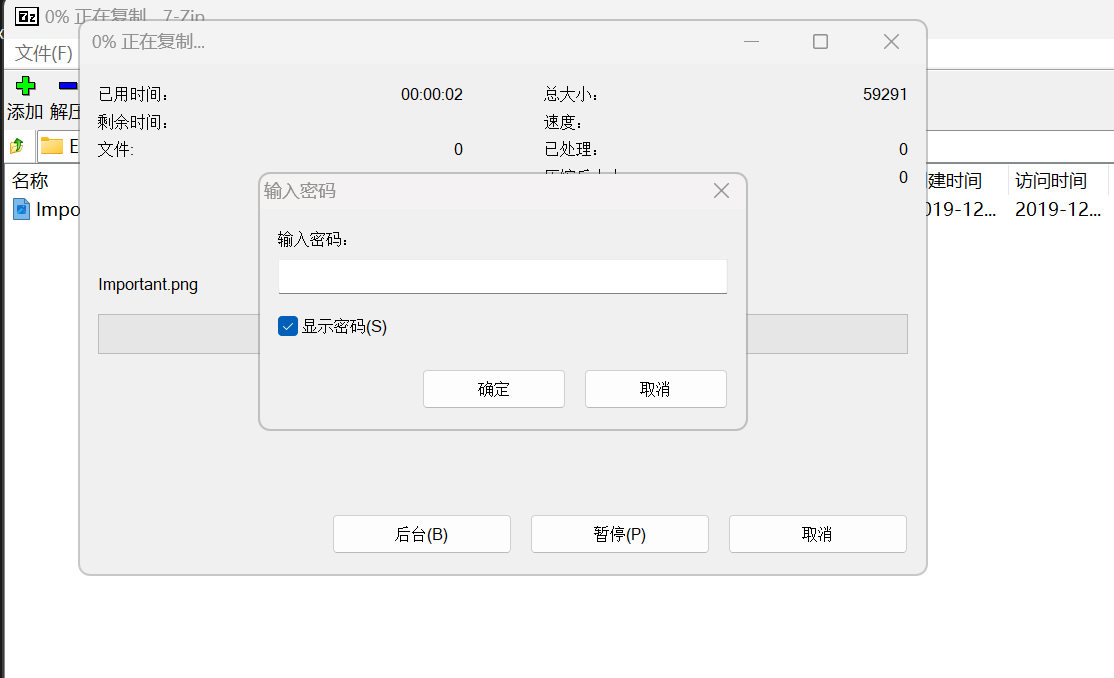
两层zip,其中有一个png文件,解压需要密码

image-20260104002338865

image-20260104002231241

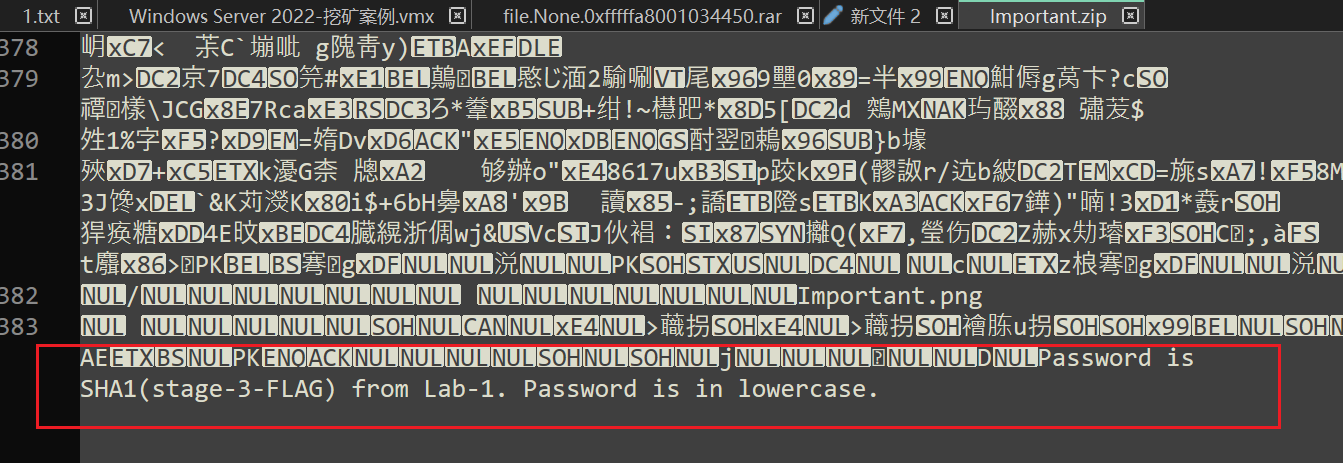
image-20260104002609580

密码提示是lab-1d的第三部分flag的SHA1值且为小写

也就是flag{w3ll_3rd_stage_was_easy}的sha1值

echo -n "flag{w3ll_3rd_stage_was_easy}" | sha1sum

需要使用-n参数

  1. 不加 -n(默认):

echo “flag{w3ll_3rd_stage_was_easy}” | sha1sum
实际传输给哈希函数的内容是:flag{w3ll_3rd_stage_was_easy}\n

多了一个换行符 \n(0x0A)

  1. 加 -n:

echo -n “flag{w3ll_3rd_stage_was_easy}” | sha1sum
实际传输给哈希函数的内容是:flag{w3ll_3rd_stage_was_easy}

image-20260104003404693

6045dd90029719a039fd2d2ebcca718439dd100a
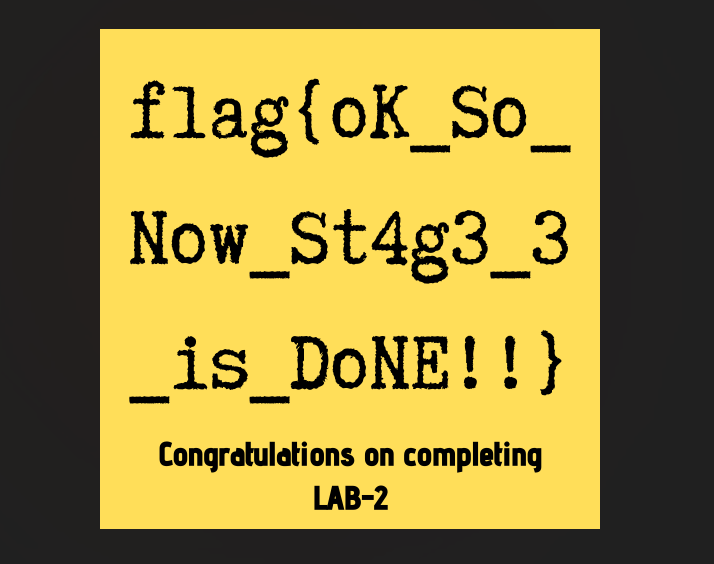
image-20260104003427174

flag{oK_So_Now_St4g3_3_is_DoNE!!}

MemLabs Lab 3 - The Evil’s Den

介绍

挑战描述

A malicious script encrypted a very secret piece of information I had on my system. Can you recover the information for me please?
一个恶意脚本加密了我系统上的一条非常机密的信息。您能帮我恢复信息吗?
Note-1: This challenge is composed of only 1 flag. The flag split into 2 parts.
注 1:此挑战仅由 1 个flag组成。flag分为两部分。
Note-2: You'll need the first half of the flag to get the second.
注 2:您需要flag的前半部分才能获得后半部分。
You will need this additional tool to solve the challenge,
您将需要这个额外的工具来解决挑战,
$ sudo apt install steghide
The flag format for this lab is: inctf{s0me_l33t_Str1ng}
本实验的标志格式为:inctf{s0me_l33t_Str1ng}

WP

inctf{0n3_h4lf_1s_n0t_3n0ugh}

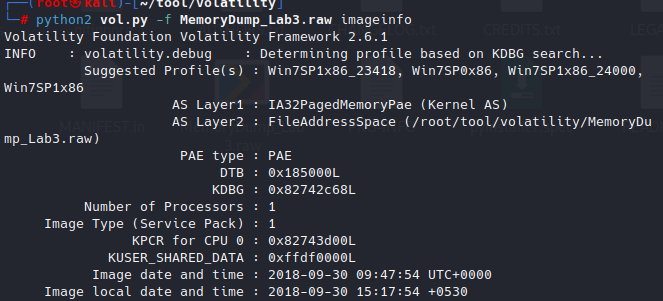
查看image

image-20260104112257088

查看cmd

脚本应该通过cmd执行

cmdline

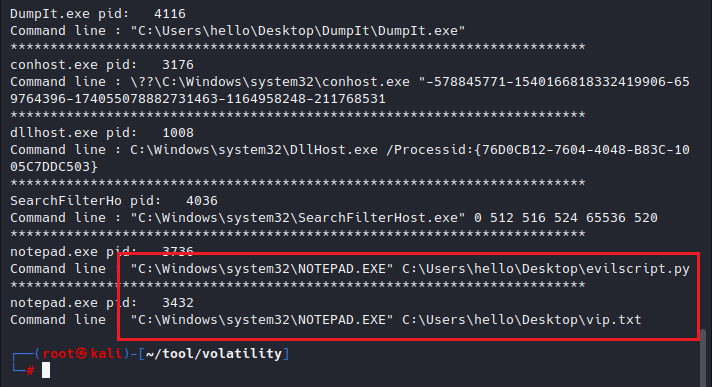
image-20260104112903449

其中使用了notepad打开evalscript.py和vip.txt

查找文件

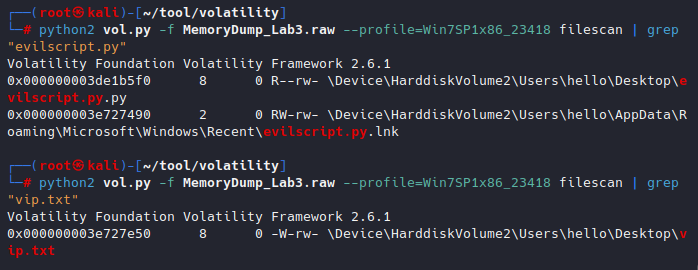
filescan

image-20260104113304401

0x000000003de1b5f0:evilscript.py

0x000000003e727e50:vip.txt

提取文件

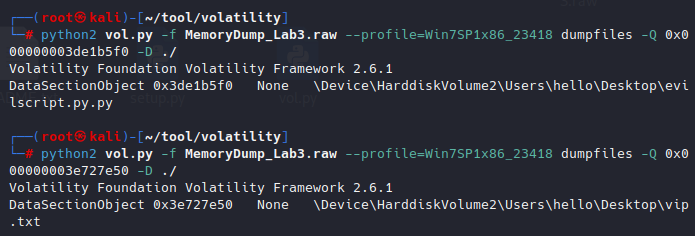
dumpfiles

image-20260104113833314

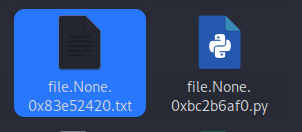
重命名

image-20260104113853687

查看文件

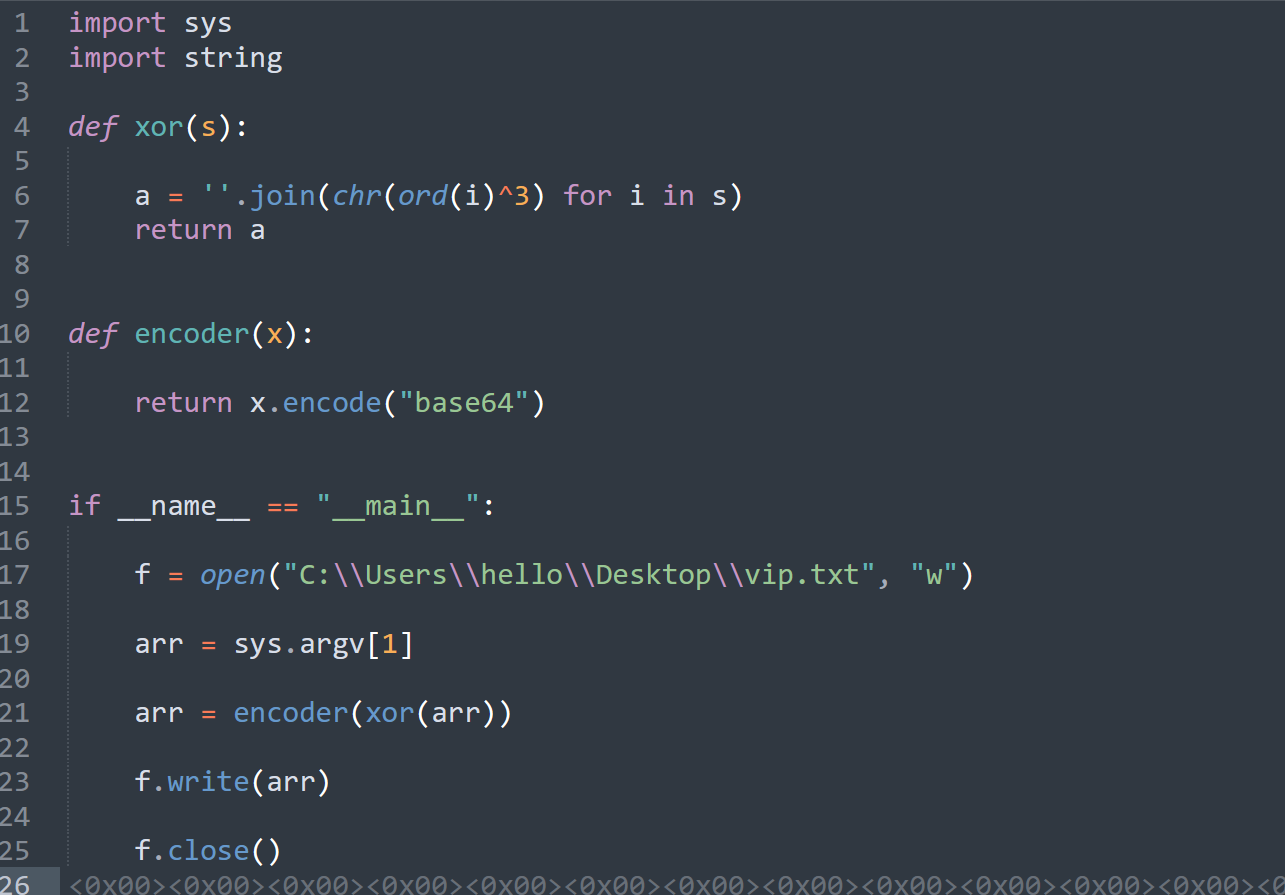
py是一个加密脚本,先进行xor,在进行base64编码

image-20260104114227923

vip.txt是一个base64文本,也就是加密后的内容

image-20260104114304594

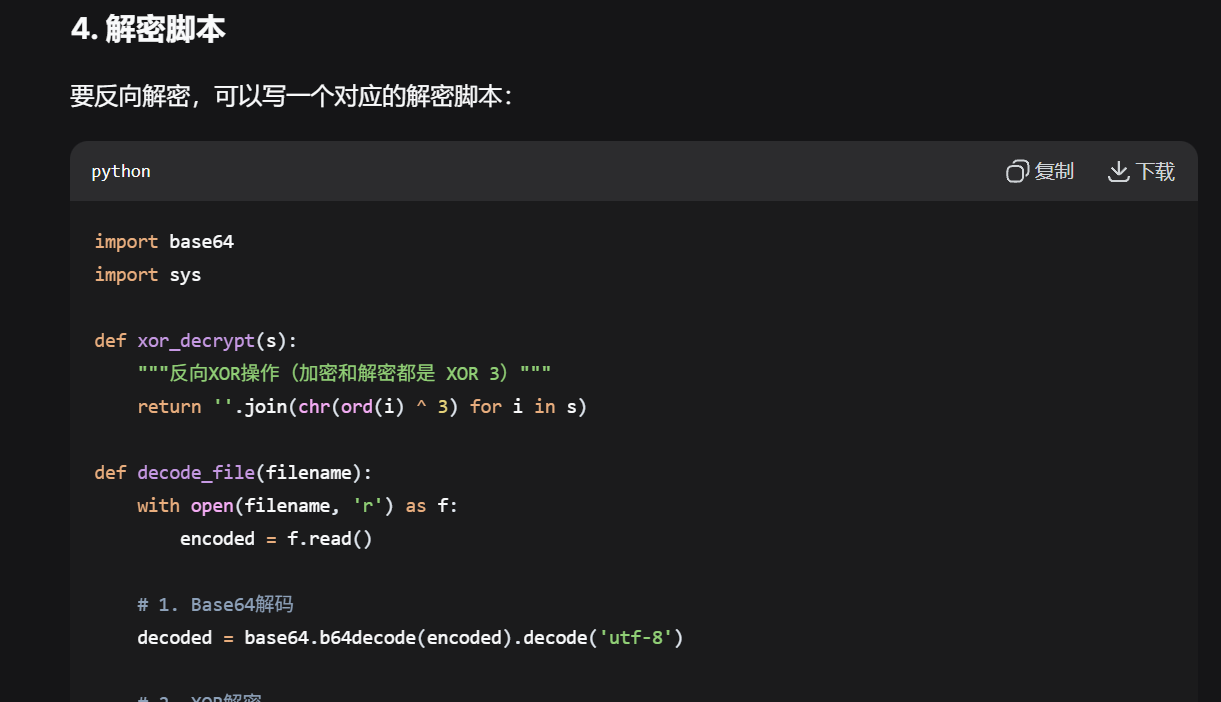
写一个解密脚本

image-20260104114326794

脚本解密,得到flag前半段

inctf{0n3_h4lf

image-20260104114410984

题目提示说要使用steghide

steghide是一个图片或音频隐写工具

支持文件格式:

这些是可以隐藏数据的文件

文件类型 扩展名 说明
JPEG图像 .jpg, .jpeg 最常用,支持最好
BMP图像 .bmp 无损位图,支持很好
WAV音频 .wav 无损音频格式
AU音频 .au Sun/NeXT音频格式

证明存在图片隐写,需要找到分析的图片

查找图片

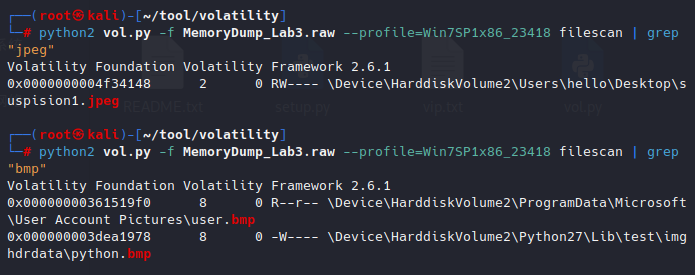
python2 vol.py -f MemoryDump_Lab3.raw --profile=Win7SP1x86_23418 filescan | grep "jpeg"
python2 vol.py -f MemoryDump_Lab3.raw --profile=Win7SP1x86_23418 filescan | grep "bmp"

image-20260104125655279

0x0000000004f34148 suspision1.jpeg

0x00000000361519f0 user.bmp

0x000000003dea1978 python.bmp

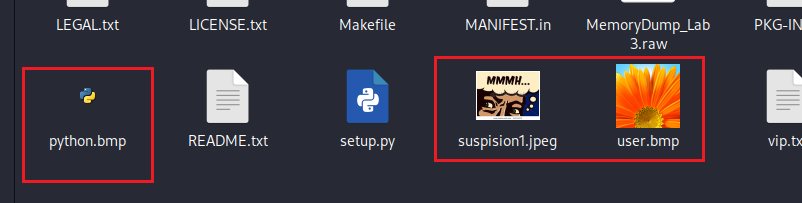
提取图片

提取文件并修改后缀
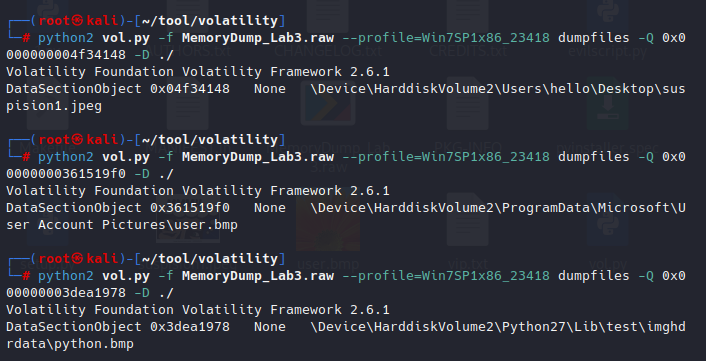
image-20260104125956941

image-20260104125945290

分析图片

三个文件都是可疑文件,都分析查看是否存在隐藏文件

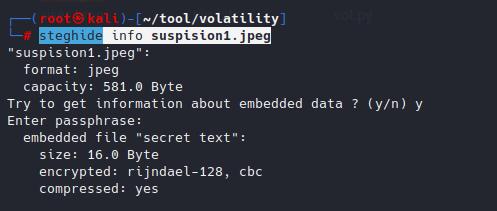
steghide分析,suspision1.jpeg

密码为前半段flag:inctf{0n3_h4lf

steghide info suspision1.jpeg

image-20260104130245332

存在隐藏数据secret.text文件

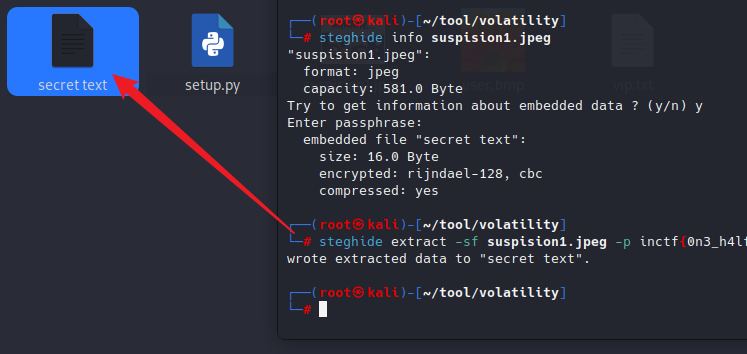
提取文件

steghide extract -sf suspision1.jpeg -p inctf{0n3_h4lf

image-20260104130450978

image-20260104130459842

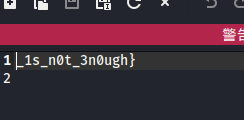
得到后半段flag

_1s_n0t_3n0ugh}

MemLabs Lab 4 - Obsession

介绍

挑战描述
My system was recently compromised. The Hacker stole a lot of information but he also deleted a very important file of mine. I have no idea on how to recover it. The only evidence we have, at this point of time is this memory dump. Please help me.
我的系统最近遭到入侵。黑客窃取了很多信息,但他也删除了我的一个非常重要的文件。我不知道如何恢复它。目前,我们拥有的唯一证据是这个内存转储。请帮助我。
Note: This challenge is composed of only 1 flag.
注意:此挑战仅由 1 个flag组成。
The flag format for this lab is: inctf{s0me_l33t_Str1ng}
本实验的标志格式为:inctf{s0me_l33t_Str1ng}

WP

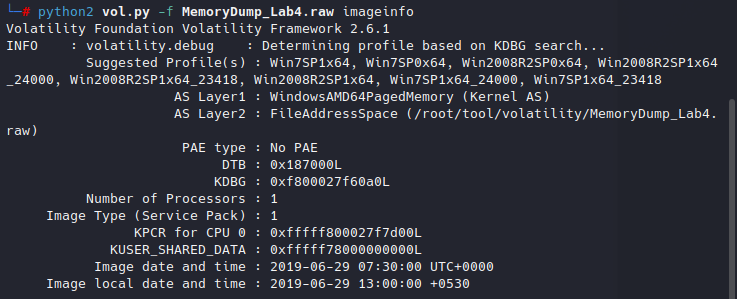
查看image

image-20260104152351162

查看进程

pslist

发现存在ie浏览器进程

image-20260104155950868

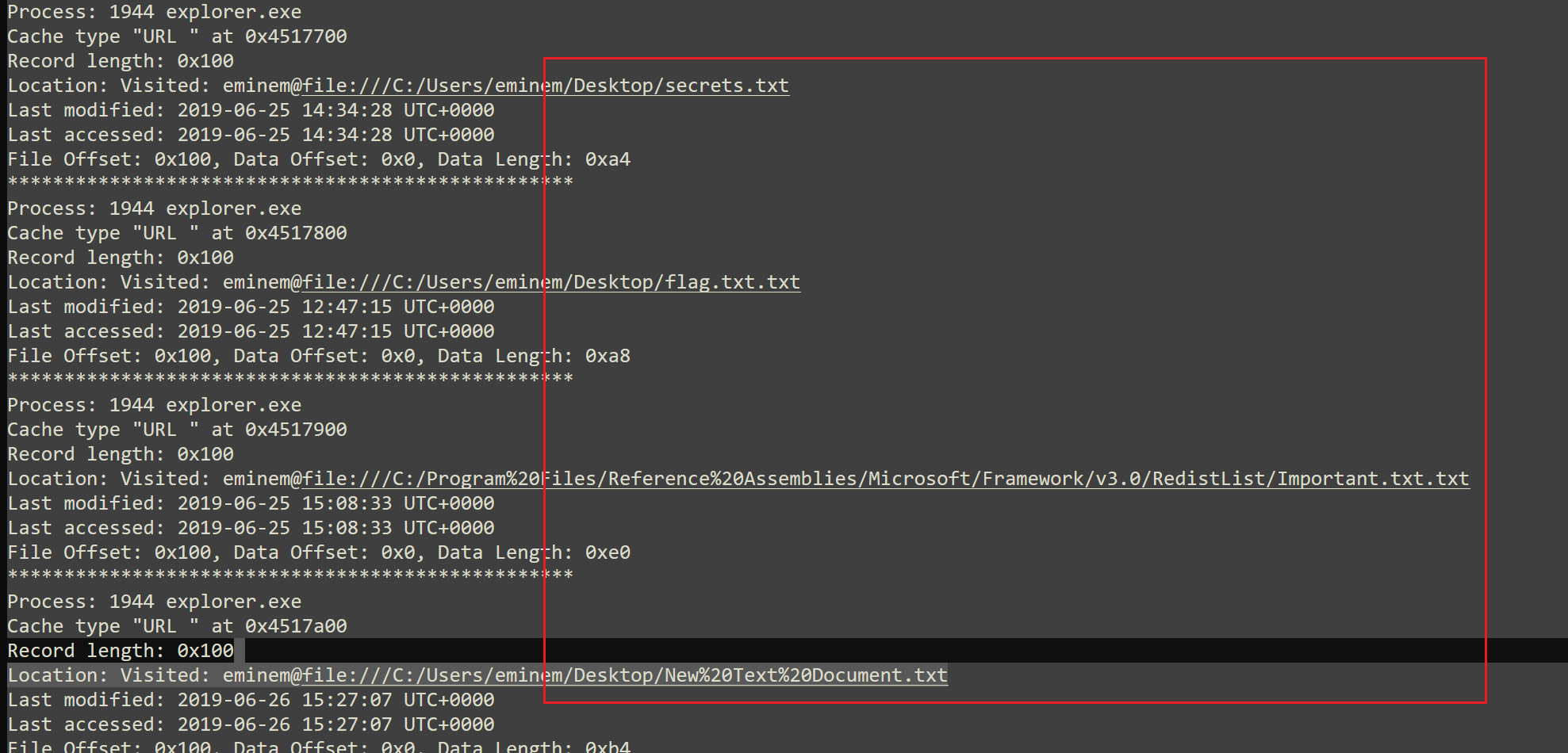
查看ie浏览器历史记录

image-20260104160149685

其中存在很多txt文件

image-20260104160447418

secrets.txt
flag.txt.txt
Important.txt.txt
New%20Text%20Document.txt
Screenshot1.png
galf.jpeg
Flag%20not%20here.bmp

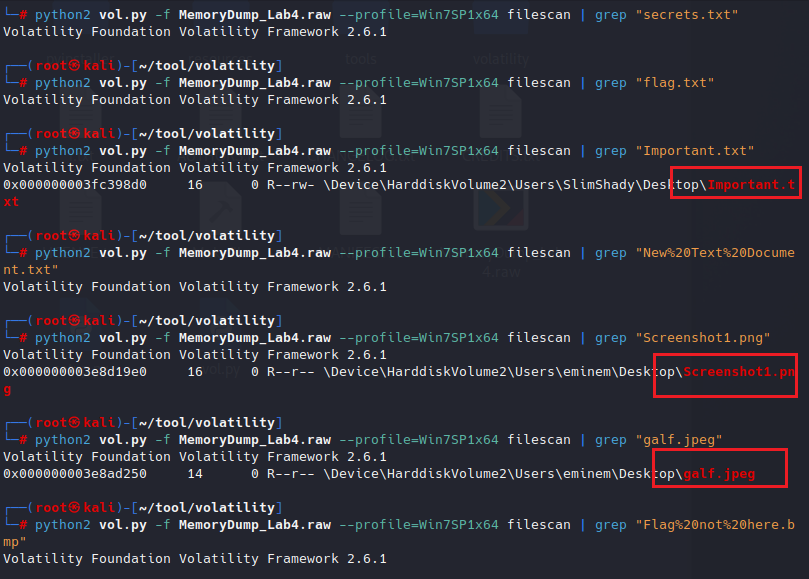
查找文件

image-20260104161103410

提取文件

Important.txt文件无法提取(已经被删除,使用dumpfiles提取时无文件生成)

Screenshot1.png文件可以提取,无信息

galf.jpeg文件可以提取,无信息
image-20260104161543460

因为提示文件已经被删除,无法直接filescan和dumpfiles获取图片,尝试查看MFT

查看mftparser

删除重要文件,那么我们的中心就放在要恢复这个重要文件

mftparser

  解析文件系统中的 MFT(主文件表),提供有关文件的信息。

python2 vol.py -f MemoryDump_Lab4.raw --profile=Win7SP1x64 mftparser > 1.txt

image-20260104154053113

刚刚得知Important.txt原来是存在的(ie浏览器访问记录,filescan可以查到),但是dumpfiles无法获取文件,尝试在MFT中查找该文件
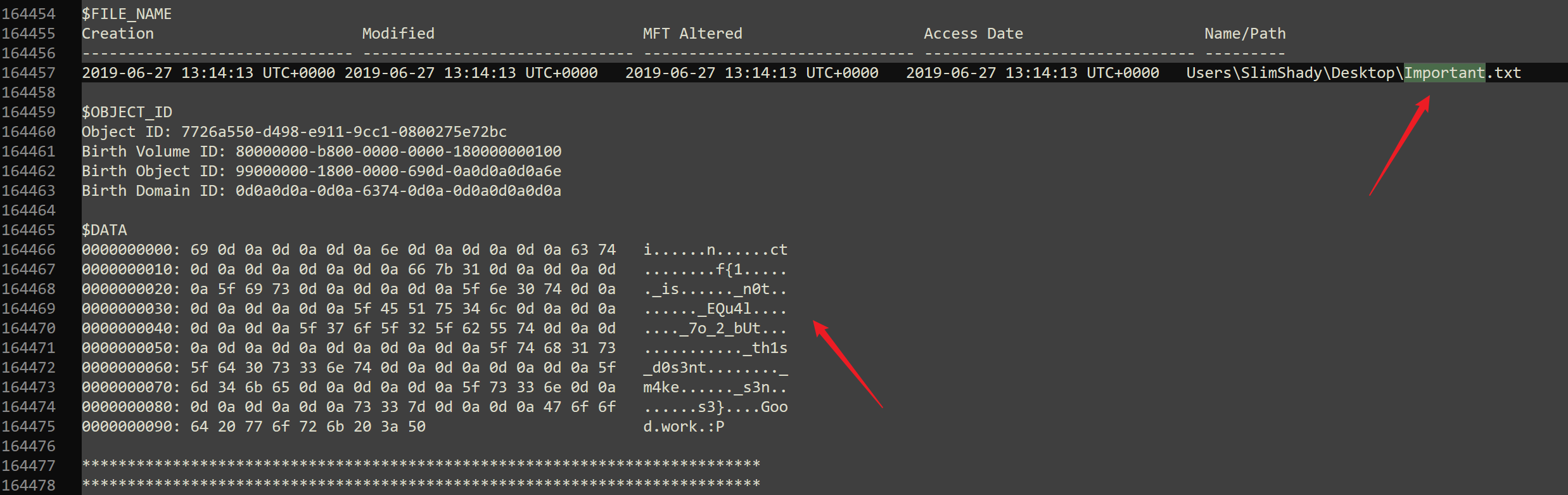
image-20260104161843964

inctf{1_is_n0t_EQu4l_7o_2_bUt_th1s_d0s3nt_m4ke_s3ns3}

MemLabs Lab 5 - Black Tuesday

介绍

题目描述
We received this memory dump from our client recently. Someone accessed his system when he was not there and he found some rather strange files being accessed. Find those files and they might be useful. I quote his exact statement,
我们最近从客户那里收到了这个内存转储。有人在他不在的时候访问了他的系统,他发现了一些相当奇怪的文件被访问。找到这些文件,它们可能会有用。我引用他的原话,
The names were not readable. They were composed of alphabets and numbers but I wasn't able to make out what exactly it was.
这些名字不可读。它们由字母和数字组成,但我无法弄清楚它到底是什么。
Also, he noticed his most loved application that he always used crashed every time he ran it. Was it a virus?
此外,他注意到他最喜欢的应用程序每次运行时都会崩溃。是病毒吗?
Note-1: This challenge is composed of 3 flags. If you think 2nd flag is the end, it isn't!! 😛
注 1:此挑战由 3 个flag组成。如果你认为 2nd Flag 就是结束,那它就不是!!
Note-2: There was a small mistake when making this challenge. If you find any string which has the string "L4B_3_D0n3*!!" in it, please change it to "L4B_5_D0n3!!*" and then proceed.
注 2:在进行此挑战时有一个小错误。如果您发现任何字符串中包含字符串 “L4B_3_D0n3*!!”,请将其更改为 “L4B_5_D0n3*!!”,然后继续。
Note-3: You'll get the stage 2 flag only when you have the stage 1 flag.
注 3:只有当您拥有阶段 1 flag时,您才会获得阶段 2 flag。

WP

flag1	flag{!!_w3LL_d0n3_St4g3-1_0f_L4B_5_D0n3_!!}
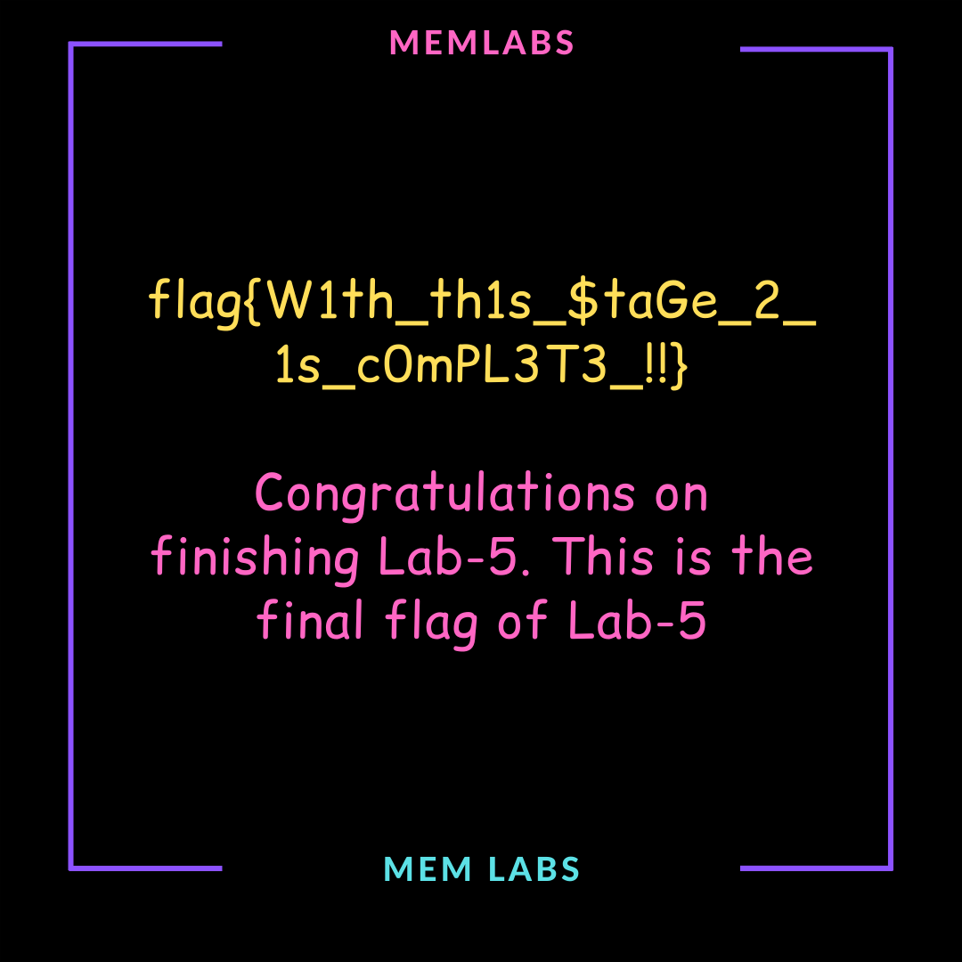
flag2 flag{W1th_th1s_$taGe_2_1s_cOmPL3T3_!!}
flag3 bi0s{M3m_l4B5_OVeR_!}

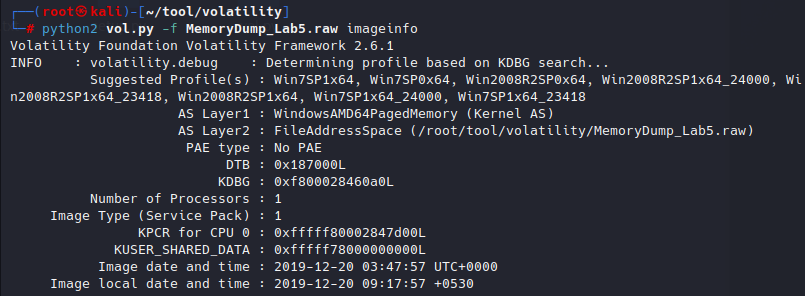
查看image

image-20260104163408616

提示文件被访问,分析cmd、浏览器历史记录

查看cmd

image-20260104163607160

发现解压了一个压缩包,压缩包名字符合题目提示:字母和数字组合

SW1wb3J0YW50.rar

并且还运行了ie浏览器
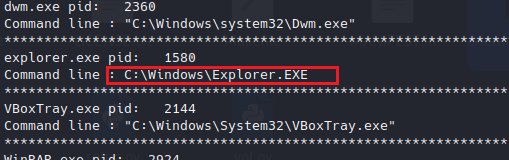
image-20260104163721931

查找文件

image-20260104163848231

提取文件

image-20260104164141642

image-20260104164148332

修改文件后缀为rar

image-20260104164234929

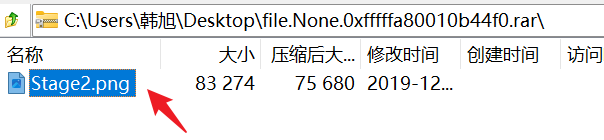
其中有一个png图片,解压缩需要密码,010查看压缩包未看见密码

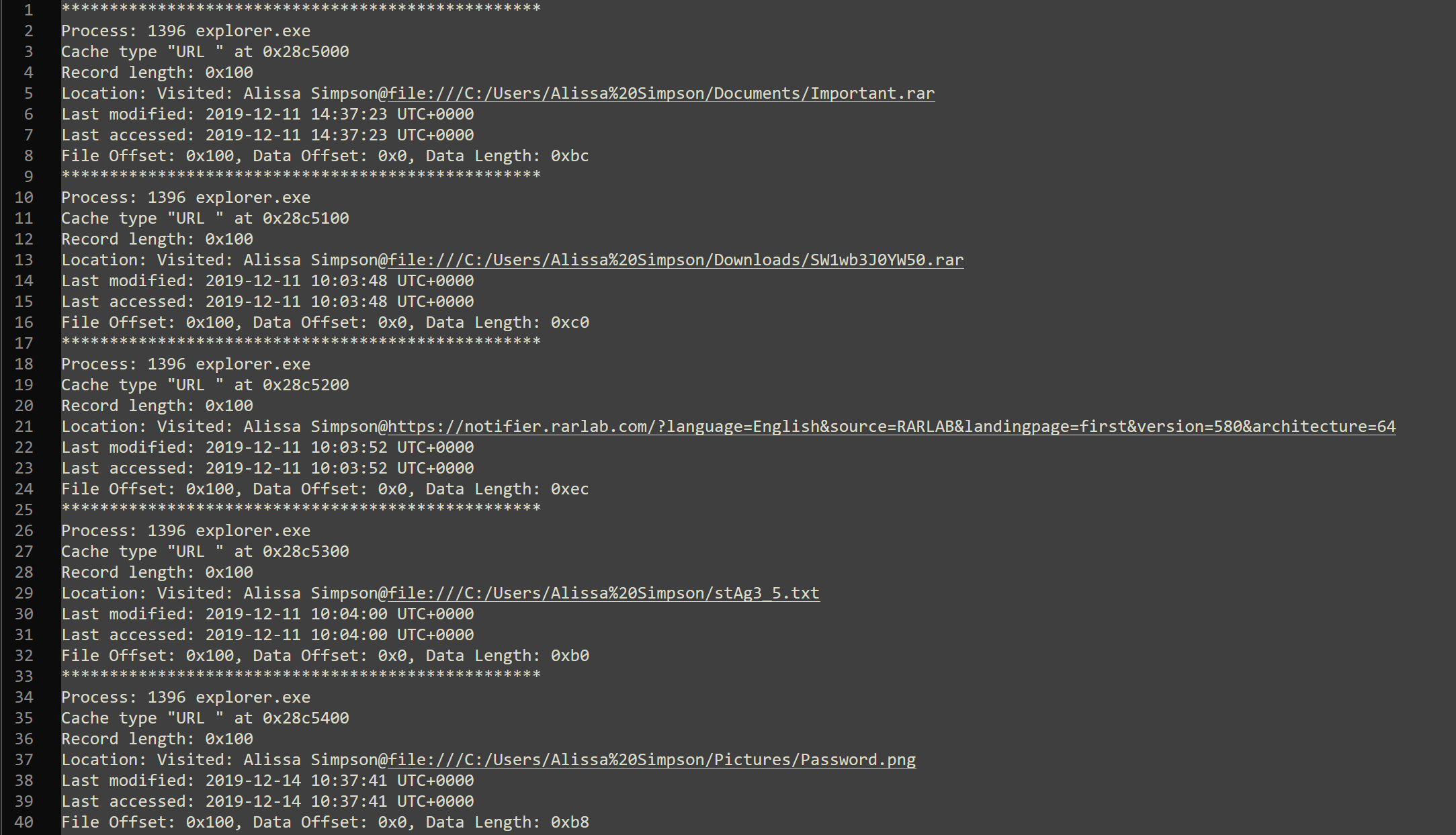
查看浏览器记录

image-20260104170347169

image-20260104170352752

查看文件,其中存在几个文件记录

image-20260104170911577

Important.rar
SW1wb3J0YW50.rar
stAg3_5.txt
Password.png
Hidden.kdbx
ZmxhZ3shIV93M0xMX2QwbjNfU3Q0ZzMtMV8wZl9MNEJfM19EMG4zXyEhfQ.bmp

其中ZmxhZ3shIV93M0xMX2QwbjNfU3Q0ZzMtMV8wZl9MNEJfM19EMG4zXyEhfQ.bmp文件名base64解码
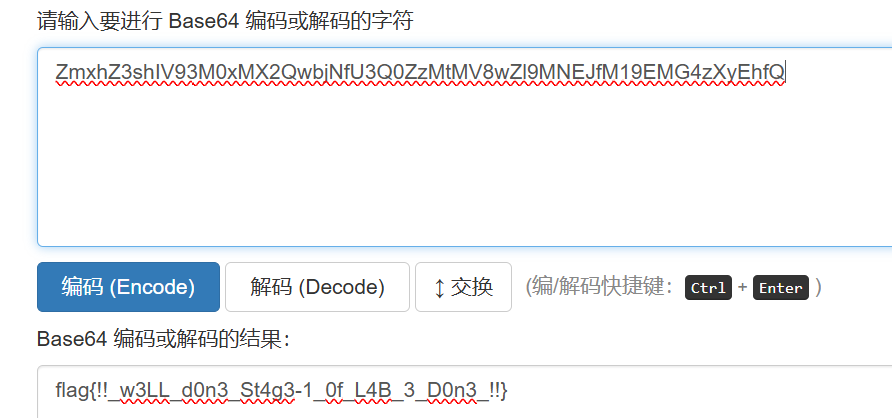
image-20260104170849896

flag{!!_w3LL_d0n3_St4g3-1_0f_L4B_3_D0n3_!!}

解密压缩包

使用第一个flag来解压压缩包

需要修改为:(题目提示)

flag{!!_w3LL_d0n3_St4g3-1_0f_L4B_5_D0n3_!!}

image-20260104172106054

提取文件

剩余文件均查不到

Important.rar
stAg3_5.txt
Password.png
Hidden.kdbx

image-20260104172143329

查看进程

pslist

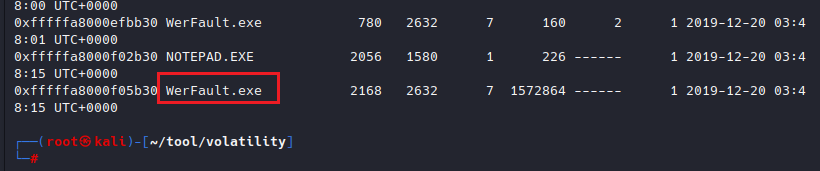
存在一个进程的Hnds异常大

image-20260104172807799

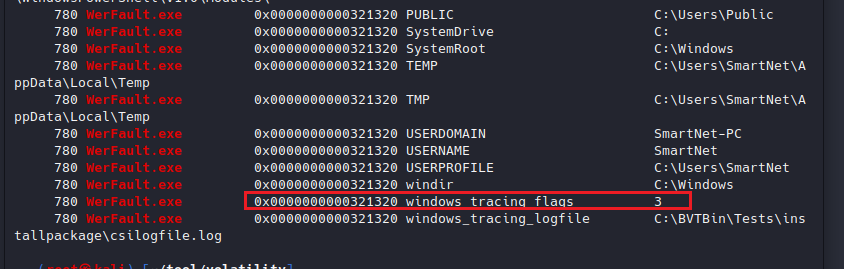
查看环境变量

查看该exe的环境变量

python2 vol.py -f MemoryDump_Lab5.raw --profile=Win7SP1x64 envars | grep "WerFault.exe" 

image-20260104173103986

但是值不为flag

查看pslist进程,发现该exe有三个进程,pid分别为

2716
780
2168

image-20260104174032622

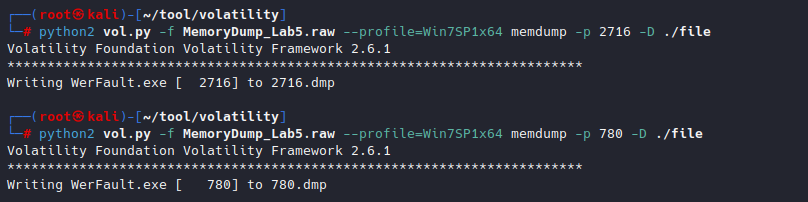
分析exe

根据进程dump出exe,三个进程都dump一下

python2 vol.py -f MemoryDump_Lab5.raw --profile=Win7SP1x64 memdump -p 2168 -D ./file

image-20260104173335488

image-20260104174136314

其中780和2716有内容(字节数相同),2168无内容

最后需要导出IDA分析
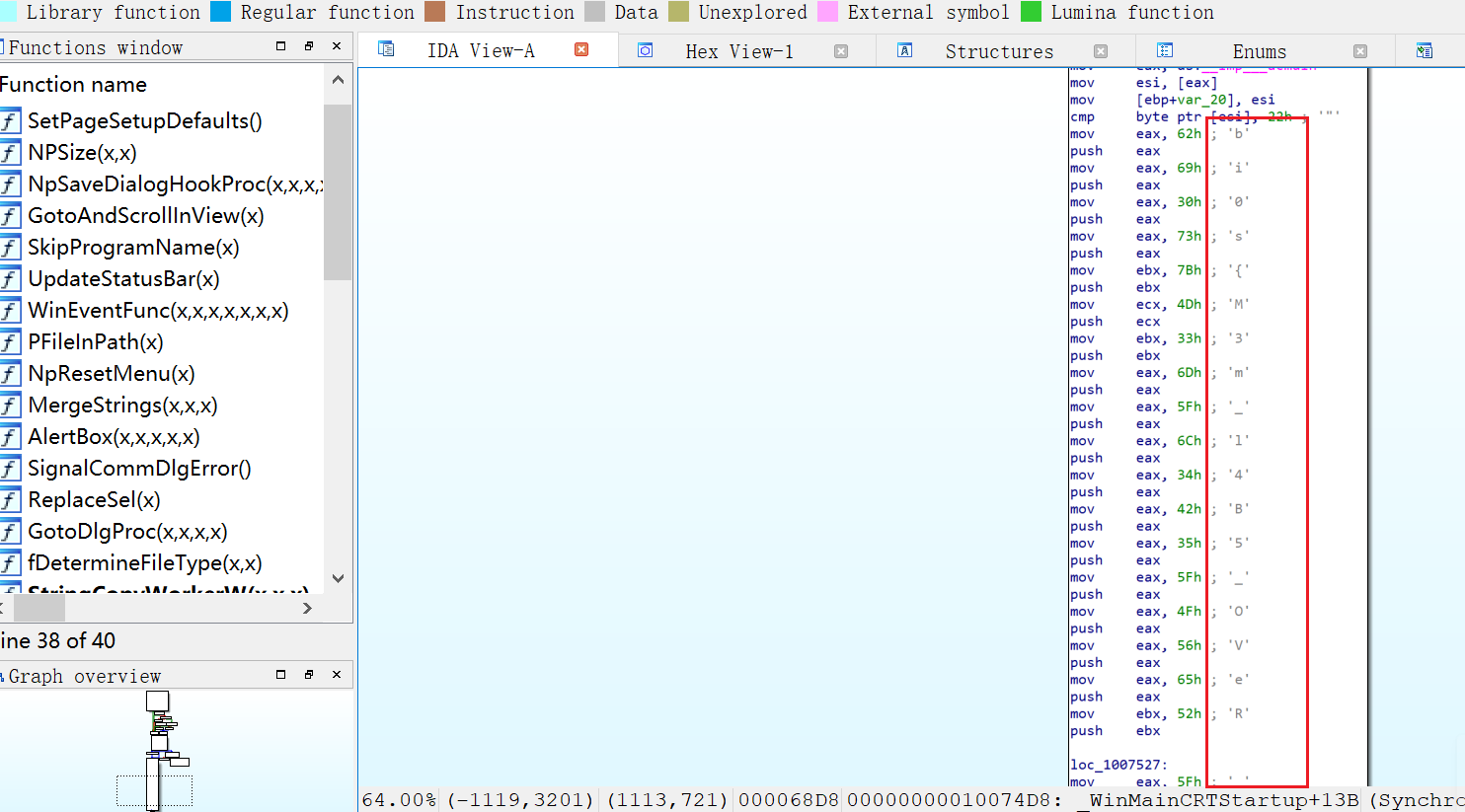
image-20241218143453614

取值,拼接,得到bi0s{M3m_l4B5_OVeR_!}

MemLabs Lab 6 - The Reckoning

介绍

挑战描述
We received this memory dump from the Intelligence Bureau Department. They say this evidence might hold some secrets of the underworld gangster David Benjamin. This memory dump was taken from one of his workers whom the FBI busted earlier this week. Your job is to go through the memory dump and see if you can figure something out. FBI also says that David communicated with his workers via the internet so that might be a good place to start.
我们从情报局部门收到了这个内存转储。他们说,这些证据可能隐藏着黑社会黑帮大卫·本杰明的一些秘密。这个内存转储是从他的一名员工那里拿走的,本周早些时候被 FBI 逮捕了。您的工作是检查内存转储,看看是否能找出一些东西。FBI 还表示,David 通过互联网与他的员工进行了交流,因此这可能是一个不错的起点。
Note: This challenge is composed of 1 flag split into 2 parts.
The flag format for this lab is: inctf{s0me_l33t_Str1ng}
注意:本次挑战赛由 1 个flag组成,分为 2 个部分。
本实验的标志格式为:inctf{s0me_l33t_Str1ng}

WP

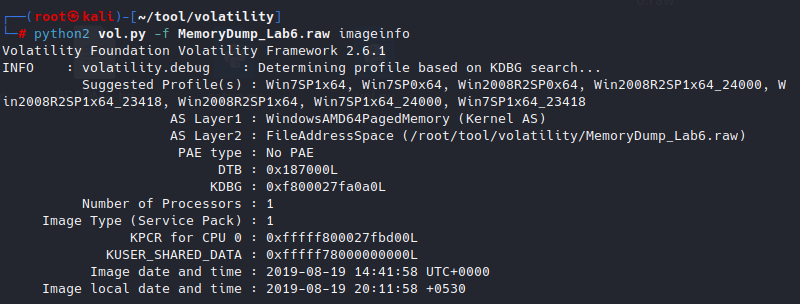
查看image

image-20260104180131257

提示:通过互联网与他的员工进行了交流

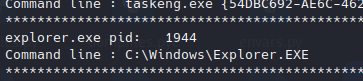
查看进程

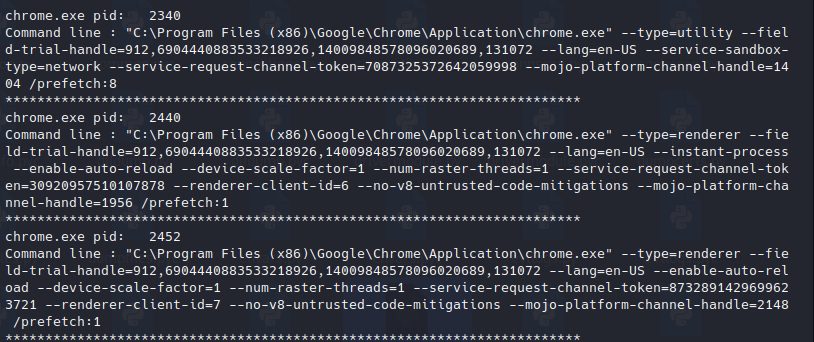
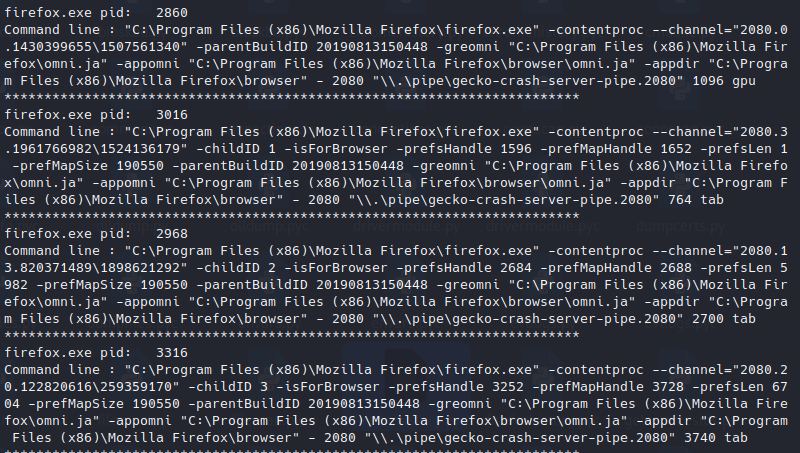
发现存在chrome、Firefox、cmd
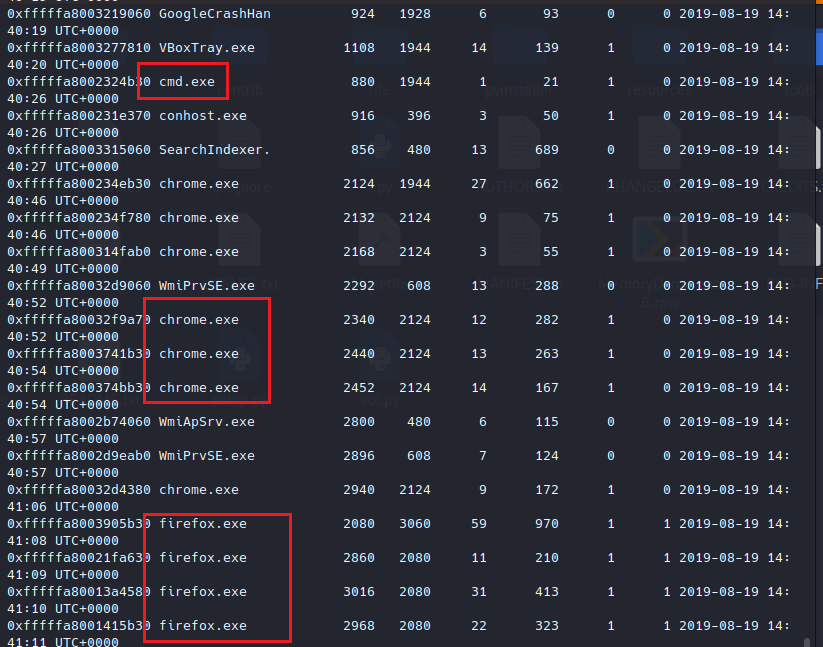
image-20260104180441328

查看cmd

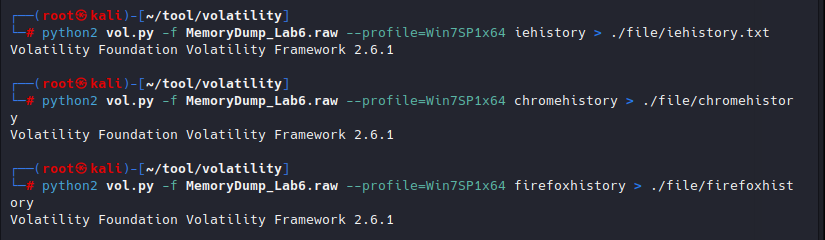
发现有ie浏览器记录

image-20260104180659824

chrome的记录

image-20260104180718145

Firefox记录

image-20260104180736902

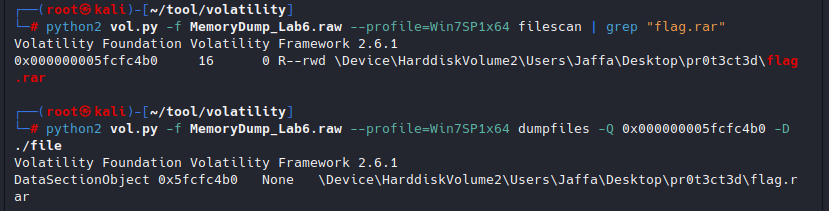
winrar解压了flag.rar文件

image-20260104180823530

提取文件

image-20260104181032349

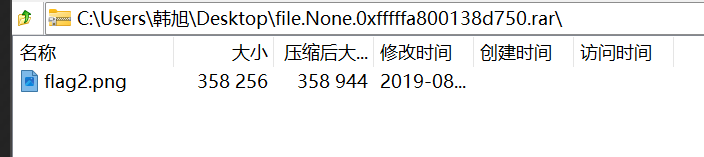
压缩包里flag2.png,加密

image-20260104181116559

暂未发现密码

查看环境变量

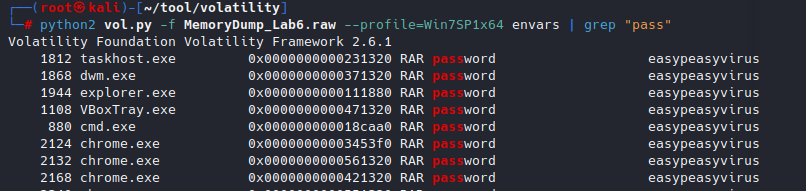
搜索pass关键字

python2 vol.py -f MemoryDump_Lab6.raw --profile=Win7SP1x64 envars | grep "pass"

提示rar的密码为:easypeasyvirus

image-20260104183309685

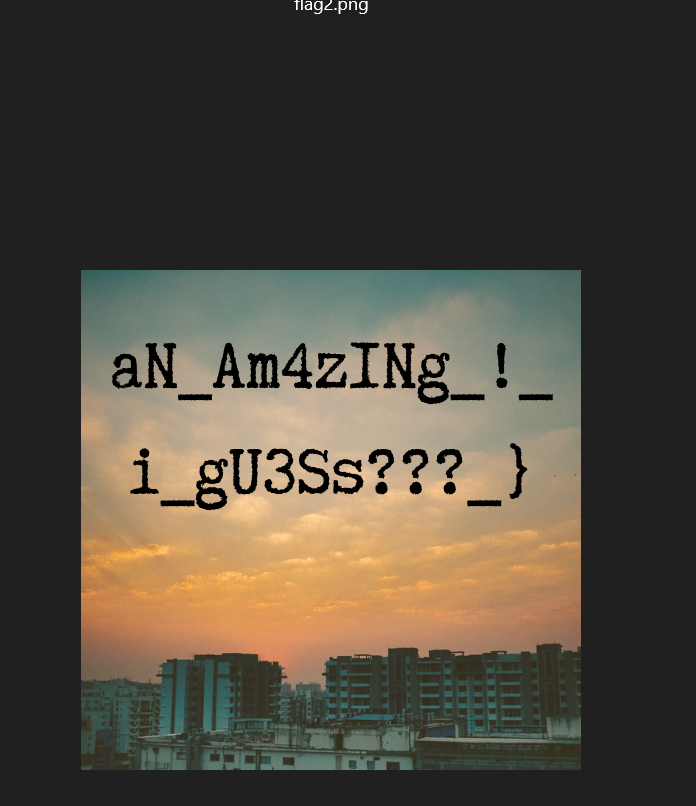
解压rar

得到flag后半段

image-20260104183417142

查看浏览器记录

image-20260104182011381

ie浏览器

Flag.zip
flag.zip
flag.rar

存在3个文件,但是刚刚已经分析过了,仅有flag.rar可以下载,并且需要密码,密码暂时还未得到

chrome浏览器

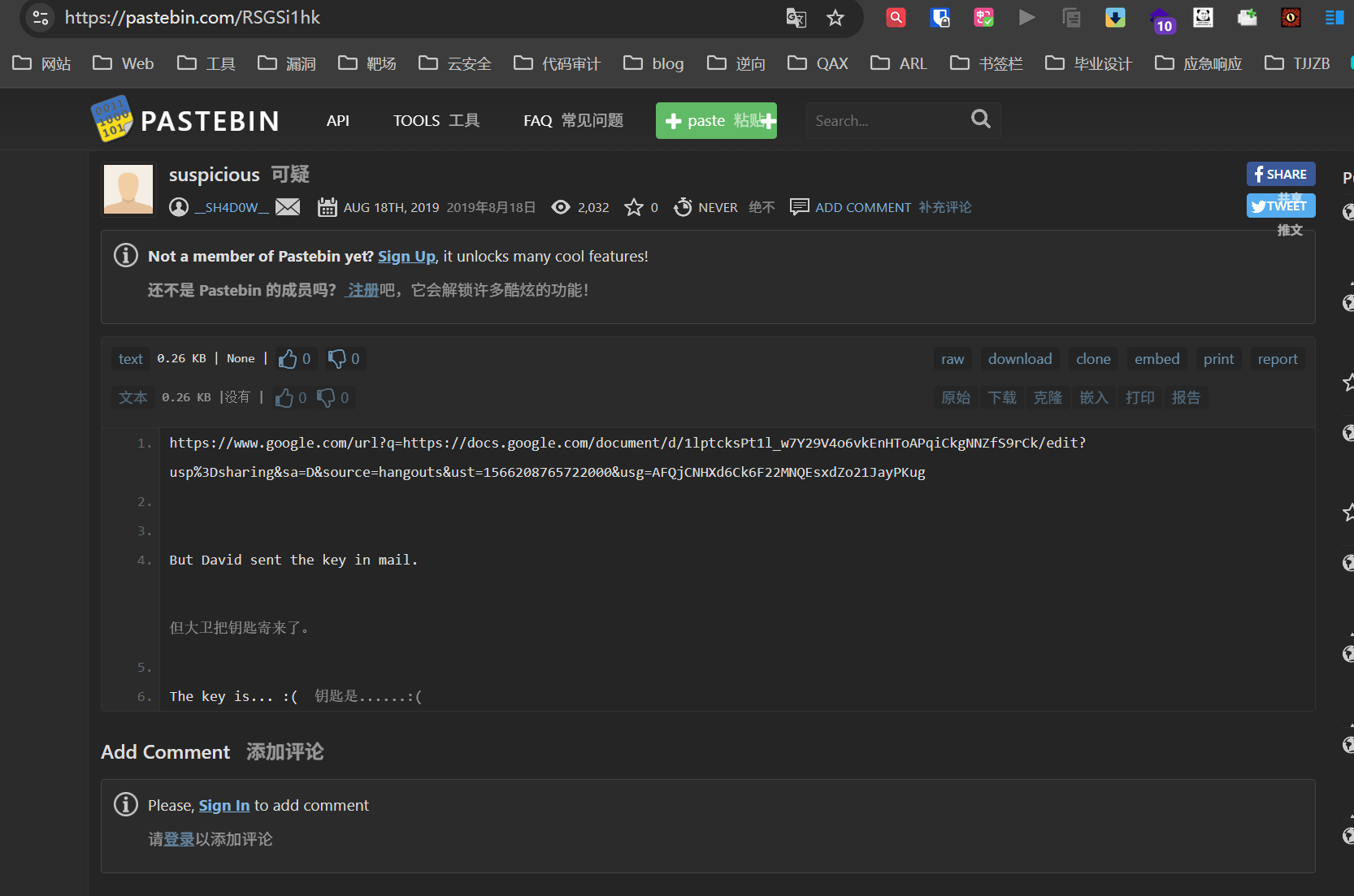
浏览记录里存在一个可疑URL

image-20260104182714314

image-20260104182736508

有一个链接,还有一个未表明的key

是一篇文章,其中存在一个网盘链接,访问
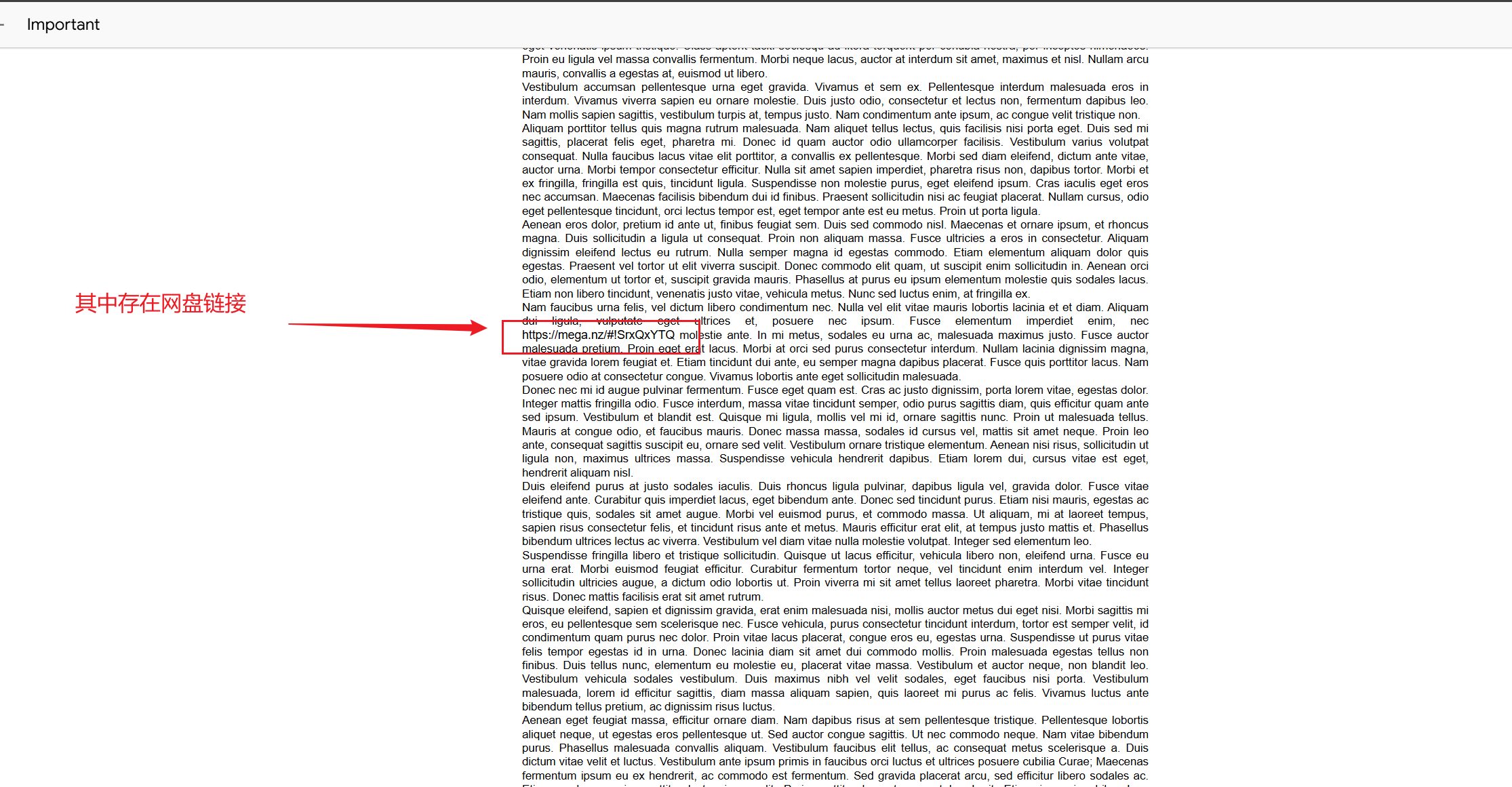
image-20260104182913136

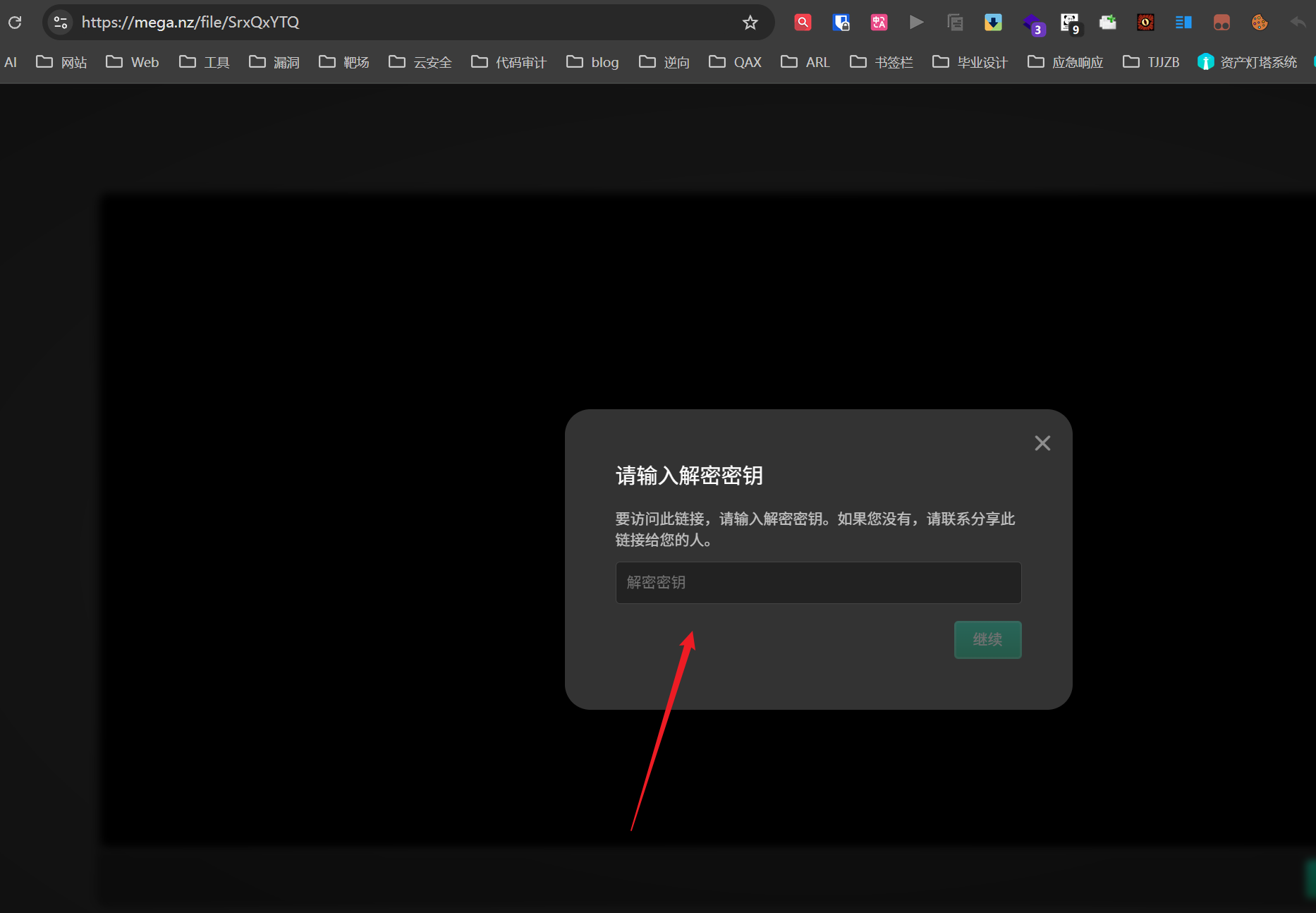
需要key

image-20260104182954109

获取key

搜索镜像中带有Mega字符的ASCII文本

strings -n 500 MemoryDump_Lab6.raw | grep Mega

image-20260104183632463

得到key

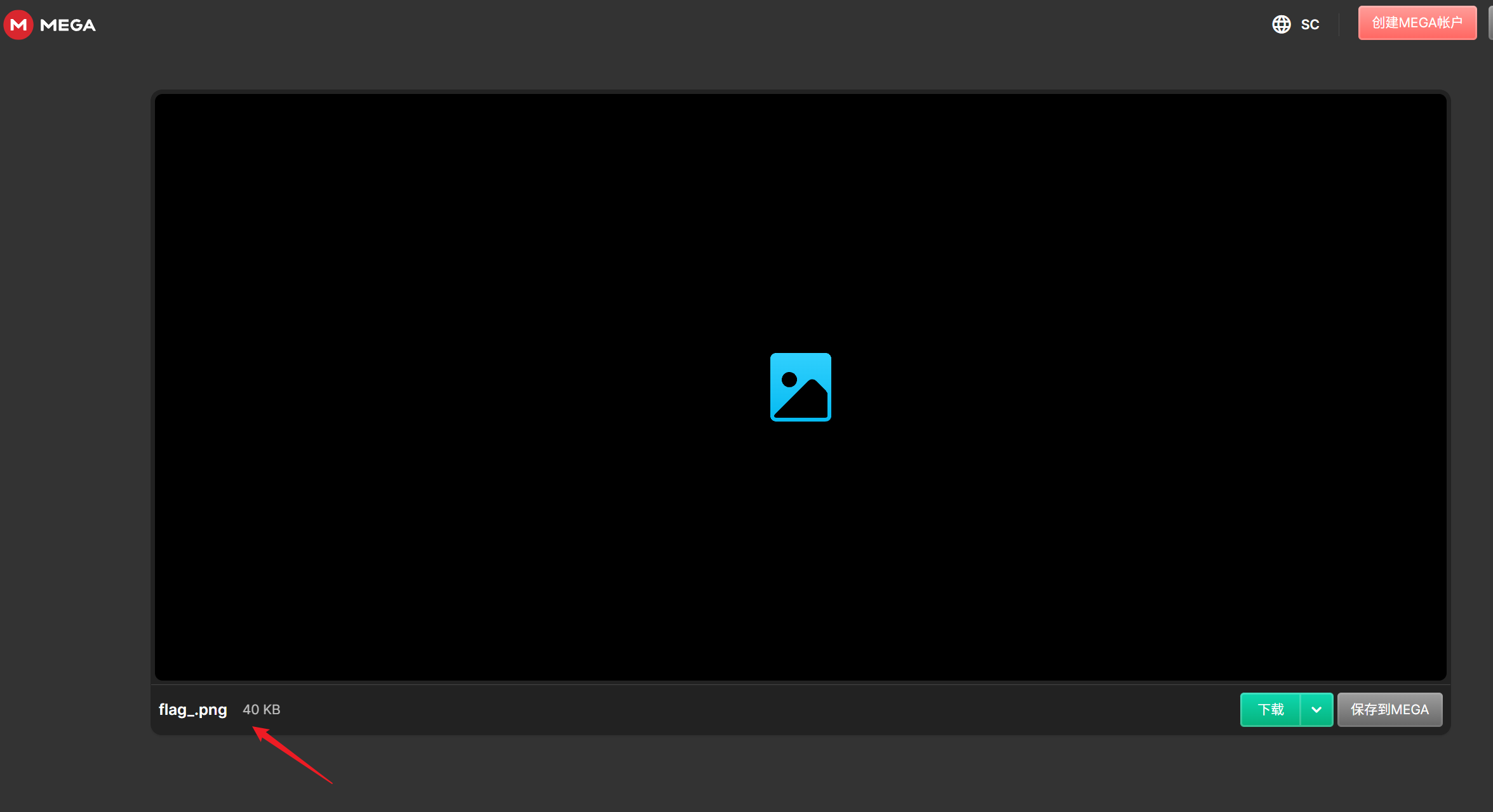
解密出一个png

image-20260104183659755

分析png

010打开,发现标题处为iHDR,应为大写IHDR,将69改为49
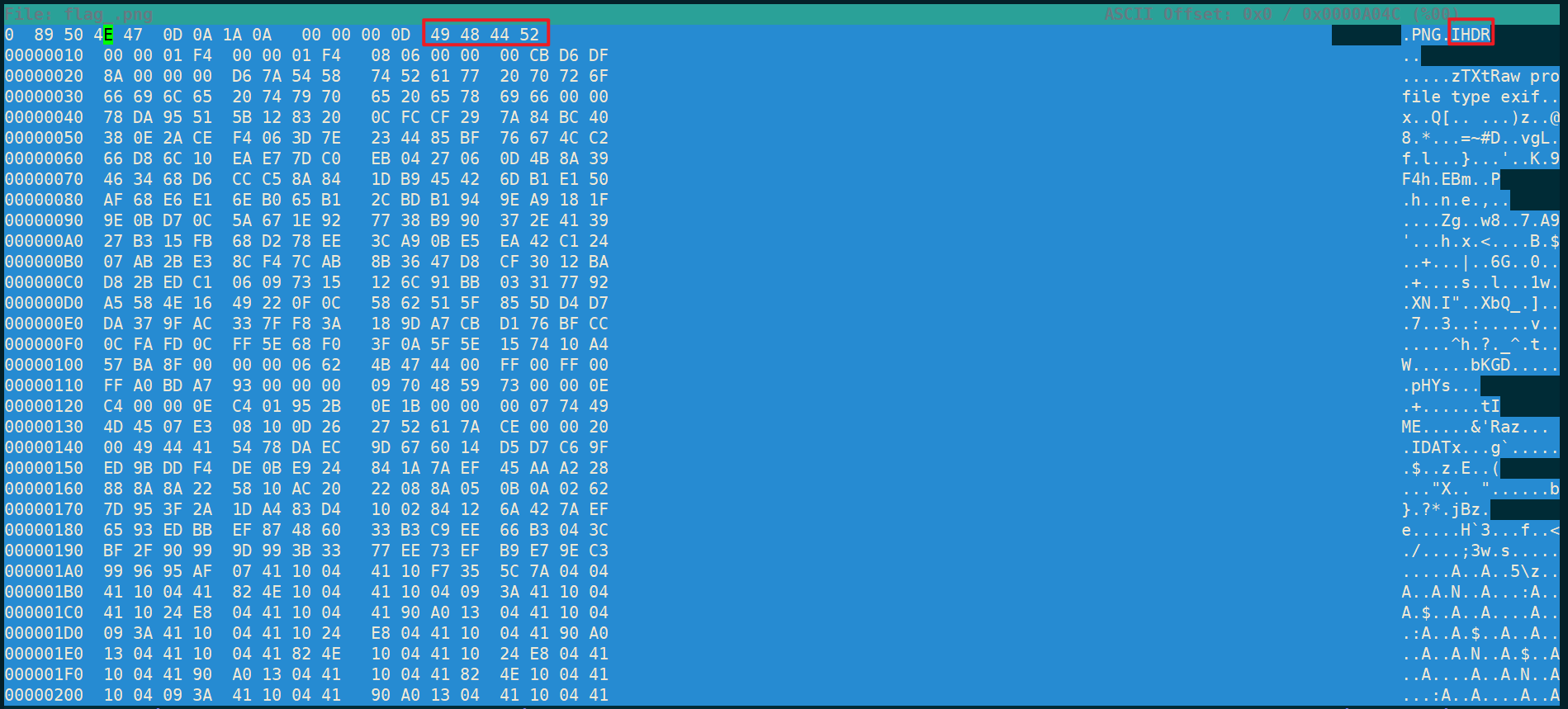
img

这样就能正常打开图片了,得到flag前半段

拼接得到inctf{thi5_cH4LL3Ng3_!s_g0nn4_b3_?_aN_Am4zINg_!_i_gU3Ss???_}